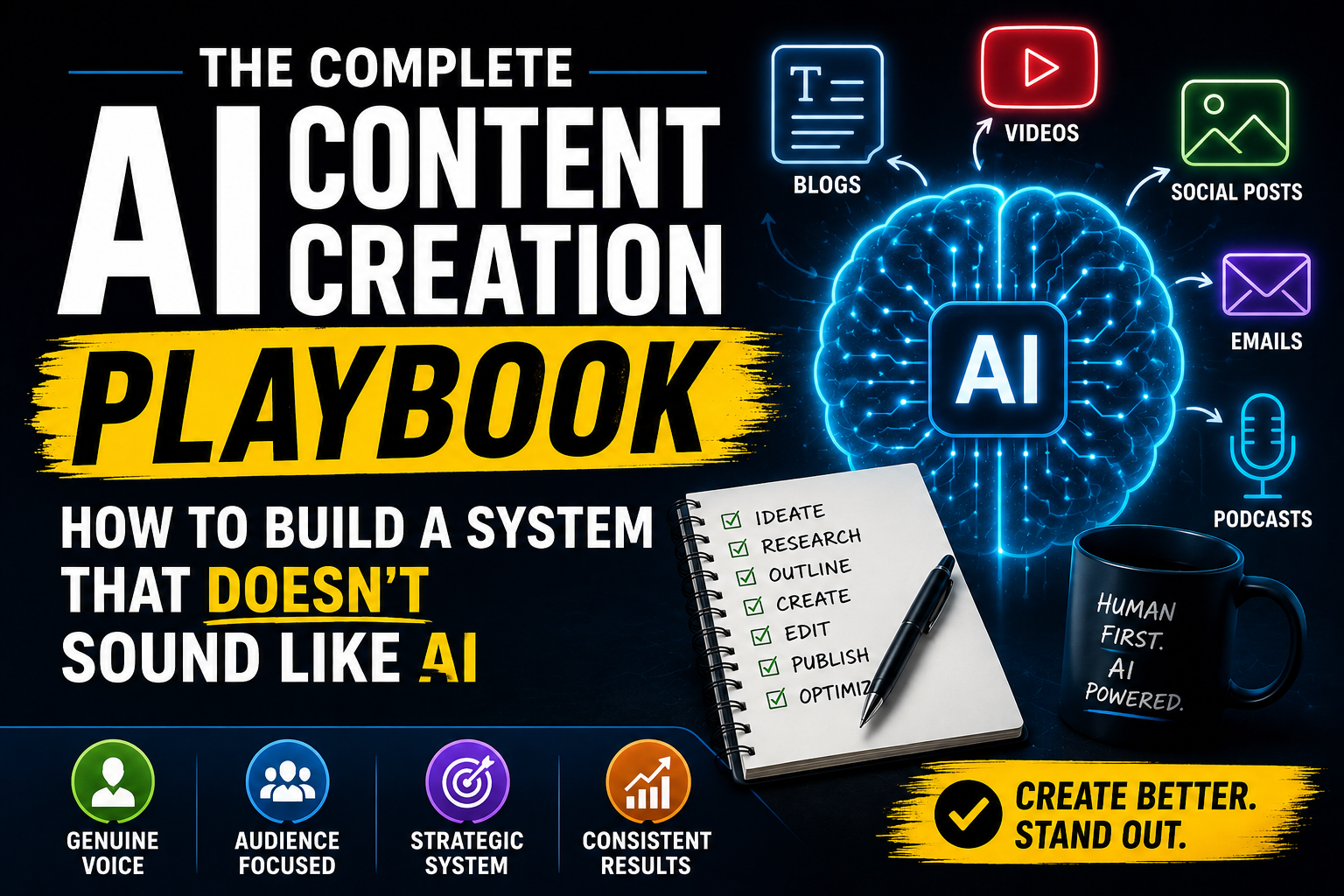
Six months ago I sat down and counted something I’d been avoiding: across blog posts, YouTube scripts, LinkedIn posts, and email newsletters, I was running roughly forty AI prompts a week. Forty separate, disconnected conversations with a chatbot, each one starting from zero, each one producing content that technically worked but, stacked side by side, read like it had been written by the same slightly-too-eager intern using the same five sentence structures over and over.
- Why Most AI Content Plateaus at “Fine”
- The Content Engine: One Idea, Seven Outputs
- Step 1: Build a Voice Profile Before You Write Anything
- Step 2: The Source Idea — Where Real Content Actually Starts
- Step 3: The Anchor Piece — Your Highest-Effort Format
- Step 4: The Repurposing Layer — Turning One Piece Into a Week
- Step 5: The Channel-Specific Playbooks
- Step 6: The Quality Gate — Catching AI Fingerprints Before You Publish
- Step 7: The Content Calendar — Making the System Repeatable
- The AI Content Creator’s Tool Stack in 2026
- AI vs. Human: Where the Line Actually Is
- Common Mistakes That Quietly Kill AI Content
- Frequently Asked Questions
- Final Thoughts: The System Is the Advantage
That was the moment I stopped treating AI content creation as a series of one-off prompts and started treating it as a system. Not a trick, not a single magic prompt — an actual operating model with inputs, a voice layer, a quality gate, and a distribution plan that turns one idea into a week of content without turning that content into noise.
This guide is that system. It’s longer than most things I publish, on purpose — because the difference between creators getting real traction with AI and creators drowning the internet in forgettable content isn’t a tool. It’s the structure around the tool. If you’ve already read my guide on writing SEO content with AI, think of this as the layer above it: the system that makes every piece of content — blog, video, social, email — work together instead of in isolation.
Why Most AI Content Plateaus at “Fine”
There’s a specific failure mode I see constantly, and I lived it myself before I fixed it. The content isn’t bad. It’s grammatically correct, reasonably organized, and technically answers the brief. It’s also completely forgettable.
This happens for three structural reasons, and none of them are about the AI model being “not good enough.”
There’s no voice layer. Most creators prompt a tool cold, every single time, with no persistent instruction for how they actually sound. The result is generic-competent prose that could have been written by anyone, for anyone, about anything. Readers can feel this even when they can’t name it.
Every piece starts from zero. Without a system, each blog post, script, and caption is its own isolated project. There’s no source of truth connecting them, so the brand voice drifts, the messaging contradicts itself across platforms, and the creator burns hours re-explaining context the AI should already have.
There’s no quality gate. The content goes from prompt to publish with maybe one read-through. The specific patterns that make writing feel AI-generated — vague claims, hedge-everything phrasing, repetitive sentence openers — never get caught because no one is checking for them systematically.
Fix those three things and the quality jump is dramatic, even using the exact same AI tools you’re using today. That’s the entire premise of this guide.
The Content Engine: One Idea, Seven Outputs
Here’s the mental model that changed how I work. Instead of treating a blog post, a YouTube script, and a LinkedIn post as three separate creative projects, treat them as three expressions of the same underlying idea, produced through one connected workflow.
The engine has seven stages:
- Voice profile — the reusable instruction set that makes everything sound like you
- Source idea — the single insight, story, or argument everything else is built from
- Anchor piece — your most complete, highest-effort version of that idea (usually a blog post or long-form video)
- Repurposing layer — breaking the anchor into platform-native formats
- Channel execution — adapting tone, length, and structure per platform
- Quality gate — the human edit pass that removes AI fingerprints
- Calendar placement — scheduling the outputs so they reinforce each other instead of competing
Most of the existing guides on this site go deep on individual stages — the SEO content workflow covers stage 3 in detail for blog posts, the repurposing guide covers stage 4, and the content calendar guide covers stage 7. What follows connects all of it into one sequence, plus gives you the two stages — voice profile and quality gate — that none of those cover on their own but that determine whether the whole system actually works.
Step 1: Build a Voice Profile Before You Write Anything
This is the single highest-leverage thing you can do, and almost nobody does it. A voice profile is a written document — 300 to 600 words — that you paste into every AI content session as context. It’s the difference between content that sounds like a brand and content that sounds like forty unrelated freelancers.
A complete voice profile answers six questions:
Who am I writing as, specifically? Not “a friendly expert.” Something with texture: “A former agency strategist who got burned by AI-generated content that all sounded the same, and now writes from hands-on testing rather than theory.”
What do I believe that most people in this space don’t say out loud? Every strong voice has a point of view. Mine, for example, is that most AI content advice focuses on prompts when the real problem is workflow. Find yours.
What sentence structures and words do I actually use — and which do I ban? List five to ten phrases you genuinely use, and five to ten phrases you never want to see (this is where you preemptively kill “in today’s fast-paced digital landscape” and “it’s worth noting that”).
What’s my relationship to the reader? Are you a peer sharing what worked? A teacher breaking down fundamentals? A skeptic challenging assumptions? Pick one and stay consistent.
What length and rhythm do I default to? Short punchy sentences with the occasional long one for emphasis? Or a more measured, even pace? Be specific — “vary sentence length, never more than two long sentences in a row” is an instruction an AI can actually follow.
What do I never do? No exclamation points. No rhetorical questions stacked three in a row. No fake enthusiasm. Whatever your personal “never” list is, write it down.
Once you have this document, the system prompt for every AI session becomes: “Here is my voice profile: [paste]. Write the following in this voice, following every constraint listed.” Run the same blog intro through a generic prompt and through a voice-profile prompt, and the difference is immediate — the second version sounds like it came from a person who’s actually been thinking about this.
Step 2: The Source Idea — Where Real Content Actually Starts
Before you generate anything, write one sentence: the actual insight this piece of content exists to deliver. Not the topic — the insight.
“AI content creation” is a topic. “Most people fail with AI content because they skip the voice layer, not because the AI isn’t capable enough” is a source idea. The second one tells you what to argue, what to cut, and what makes this piece different from the fifty other pieces covering the same topic.
Where do source ideas actually come from? Three places, consistently:
Something that surprised you. A result that didn’t match your expectation is almost always more interesting than a result that confirmed it.
A pattern across multiple experiences. Not “I tried this once” — “I’ve now seen this fail the same way four times, and here’s the common thread.”
A disagreement with the conventional advice. If everyone says X and your actual experience says Y, that gap is a source idea waiting to be written.
A useful AI prompt for this stage isn’t for writing — it’s for pressure-testing your idea before you commit hours to it:
“Here’s a content idea I’m considering: [your idea]. Tell me honestly: is this a genuinely distinct angle, or is it the same advice everyone already gives? If it’s not distinct enough, suggest two sharper, more specific versions of the same idea.”
Treat the AI as an editor at this stage, not a writer. The goal is to leave this step with one sharp sentence you could say out loud to a friend and have them go “huh, I hadn’t thought of it that way.”
Step 3: The Anchor Piece — Your Highest-Effort Format
Pick one format to be the complete, fully-developed version of your source idea — usually a blog post or a long-form video script. Everything else in the engine is a derivative of this piece, so it needs to be the most thorough, most carefully edited thing you produce from this idea.
If your anchor is written content, follow the seven-step workflow in How to Write SEO Content with AI That Actually Ranks — it covers briefing, outlining, drafting, and the on-page SEO layer in detail and I won’t repeat it here. If you want a faster, lighter version of the same idea for a quicker turnaround, How to Use AI to Write a Blog Post in 30 Minutes is the compressed workflow for when depth matters less than speed.
If your anchor is video, the same logic applies in script form: How to Create YouTube Scripts with AI walks through hook-building, pacing, and retention structure specific to video, which a blog-style outline doesn’t capture.
The one rule that applies regardless of format: the anchor piece is where your voice profile and your source idea get fully expressed, with every supporting point, every example, and every piece of original thinking you have on the topic. Don’t hold material back for later — repurposing works by extracting from depth, not by spreading thin material across more formats.
Step 4: The Repurposing Layer — Turning One Piece Into a Week
Once the anchor exists, the repurposing stage turns it into platform-native content instead of just copy-pasting chunks of it everywhere — which is the single biggest reason repurposed content underperforms. A LinkedIn post that’s just a trimmed blog paragraph reads like a trimmed blog paragraph. A LinkedIn post built from the same idea but written for how people actually scroll LinkedIn performs completely differently.
The full extraction and reformatting workflow is covered in depth in How to Repurpose Content with AI: Turn One Idea Into a Week of Posts. The principle worth restating here: repurposing isn’t compression, it’s translation. Each platform has its own grammar — its own expectations for hook style, pacing, and what “good” looks like — and your prompt needs to specify that grammar explicitly, not just ask for “a shorter version.”
A prompt structure that respects this:
“Using this anchor piece [paste or summarize], extract the single most useful, specific insight and write it as a native [platform] post. Use my voice profile. Follow [platform]’s typical structure: [describe — e.g., for LinkedIn: short opening line as a hook, line breaks every 1-2 sentences, a personal frame, one clear takeaway]. Do not summarize the whole article — focus on one idea, told well.”
One anchor piece, treated this way, realistically produces: one blog post, one LinkedIn post, one X/Twitter thread, three to five short-form video hooks, one newsletter section, and several weeks of social captions if you mine it for multiple angles instead of just one. That’s the “one idea, a week of posts” outcome — not from writing more, but from extracting more value out of the work you already did at the anchor stage.
Step 5: The Channel-Specific Playbooks
Each format has its own failure points. Here’s the condensed playbook for each, with links to the full guides where this site already covers the depth.
Blog & Written Content
The two existing guides on this site cover this thoroughly depending on your time budget: the full SEO workflow for anchor pieces meant to rank and compound over time, and the 30-minute blog workflow for faster, lower-stakes posts. The one addition I’d make on top of both: always run your finished draft through the voice profile check from Step 1 before publishing — even a well-structured, well-researched post can still read flat if the voice layer was skipped.
YouTube & Long-Form Video
Video scripts fail differently than blog posts — they fail on pacing and retention, not just structure. How to Create YouTube Scripts with AI covers the hook-to-retention arc in detail. The piece I’d add on top: read your script aloud at the pace you’ll actually deliver it before recording. AI-generated scripts consistently underestimate how long sentences take to say out loud, and a script that reads fine on paper can drag badly on camera.
Short-Form Video
This format lives and dies on the first two seconds. Best AI Tools to Create Short-Form Video Content in 2026 covers the current tool landscape for generation and editing. From a content strategy angle, treat short-form as the place to test your sharpest single claims from the anchor piece — not a watered-down summary of the whole thing, but the one sentence most likely to make someone stop scrolling, expanded into 20-40 seconds.
Social & Community Posts
Native platform posts are where the repurposing layer (Step 4) does most of its work. The mistake to avoid: writing one generic “social media post” and cross-posting it everywhere. A post written for X’s pace and a post written for LinkedIn’s professional framing should not look the same, even when they’re built from the identical underlying idea.
Email & Newsletter
Email is underused as a repurposing target and it shouldn’t be — it’s the one channel where you fully control the algorithm. The anchor piece’s source idea works well as a newsletter “main story” section, written more personally and conversationally than the blog version, with a single clear link back to the full piece. Treat the inbox as a relationship, not a broadcast: shorter paragraphs, more “I” statements, one ask per email.
Step 6: The Quality Gate — Catching AI Fingerprints Before You Publish
This is the stage that separates content systems that scale well from ones that quietly erode trust over time. Every piece — regardless of format — should pass through the same checklist before it goes live.
Read it out loud. This single habit catches more problems than any other editing technique. Awkward phrasing, repeated sentence openers, and dead rhythm are nearly invisible on the screen and immediately obvious in your own voice.
Hunt the stock phrases. Keep a running “banned list” — the phrases that show up in unedited AI output across every tool: “It’s worth noting that,” “In today’s fast-paced [whatever] landscape,” “Navigating the complexities of,” “At the end of the day,” “Whether you’re a beginner or an expert.” If you find one, cut it and replace it with something specific.
Replace every vague claim with a specific one. “Many creators see great results” tells the reader nothing. “I ran this exact workflow for six weeks across twelve pieces of content and four of them outperformed my previous average” tells them everything. Specificity is the fastest way to make AI-assisted content feel human, because specificity requires lived experience — and AI can’t fabricate that convincingly without you supplying the real details.
Verify every fact, statistic, and claim. This applies across formats, not just blog posts. A confidently stated wrong number in a video script does just as much damage to your credibility as one in an article — arguably more, because video feels more authoritative to viewers.
Check for voice drift. Compare the draft against your voice profile from Step 1. If it could have been written by anyone, it needs another pass.
Confirm it adds something the reader couldn’t already get from three other pieces on the same topic. If the honest answer is “no,” that’s a signal to either go back to Step 2 and sharpen the source idea, or accept that this particular piece is filler — which is fine occasionally, but shouldn’t be the default for your anchor content.
Run every anchor piece through all six checks. For fast-turnaround repurposed content, the first three checks (read aloud, stock phrases, specificity) are the non-negotiable minimum even when you’re moving quickly.
Step 7: The Content Calendar — Making the System Repeatable
A system only works if it runs on a schedule instead of inspiration. How to Build a Content Calendar with AI in 2026 covers the full planning workflow — pillar topics, posting cadence by platform, and using AI to maintain the calendar itself. The one addition specific to this engine: structure your calendar around anchor pieces, not individual posts. Plan one anchor every one to two weeks, and let the repurposing layer automatically populate the days in between. This is what actually makes a calendar “stick,” in the words of that guide’s title — you’re not staring at a blank calendar trying to invent twenty separate ideas a month, you’re extracting twenty pieces of content from two or three well-developed ones.
The AI Content Creator’s Tool Stack in 2026
You don’t need twenty subscriptions. Here’s a realistic, format-by-format stack for a solo creator or small team running this system.
Writing and ideation: A strong general-purpose chatbot (Claude or ChatGPT) for outlining, drafting, and the voice-profile-driven prompts throughout this guide. Use whichever one you’re already comfortable with — the workflow matters more than the specific model.
SEO and keyword research: Google Search Console for free, real performance data on what’s already working. A paid tool like Ahrefs or Semrush if you’re publishing consistently enough to justify it; Ubersuggest as a budget alternative.
Long-form video editing and production: Tool needs vary by your specific workflow (talking-head vs. screen capture vs. animated), but AI-assisted editing tools that handle transcription, filler-word removal, and rough cuts save the most time relative to manual editing.
Short-form video generation: Covered in detail in Best AI Tools to Create Short-Form Video Content in 2026 — the landscape shifts quickly enough here that the dedicated guide is the better reference than a quick summary.
Voice and audio: If your content includes voiceover or synthetic narration, tools like ElevenLabs have become the default for natural-sounding output — my full hands-on take is in my ElevenLabs review if you’re deciding whether it’s worth the subscription.
Scheduling and calendar management: A simple shared calendar or dedicated social scheduling tool, fed by the system in Step 7, is enough. The complexity should live in your workflow, not in your software stack.
Resist the urge to add tools faster than you add workflow discipline. A messy six-tool stack with no voice profile and no quality gate will underperform a disciplined two-tool stack every time.
AI vs. Human: Where the Line Actually Is
The most common question I get, and the one AI vs Human Writers: Can AI Really Replace Content Creators? addresses directly, deserves a clear answer here too: AI is not replacing content creators who have something to say. It’s replacing the version of content creation that never required much of a perspective in the first place — generic listicles, surface-level summaries, content that existed purely to fill a publishing schedule.
Everything in this guide assumes AI handles the mechanical layer: structuring, drafting, formatting, generating variations at speed. The source idea, the lived experience behind it, the editorial judgment about what to cut, and the voice that makes it sound like one consistent person — that’s still entirely yours, and it’s the part that determines whether your content compounds in value or evaporates into the same noise everyone else is producing with the same tools.
Common Mistakes That Quietly Kill AI Content
Skipping the voice profile because “it’s just one post.” Voice drift compounds. A reader who follows you across three platforms and gets three different “voices” trusts you less with every inconsistency, even if they can’t articulate why.
Treating repurposing as copy-paste. Covered above, worth repeating: a trimmed paragraph is not a native post. Each platform needs its own translation pass.
Publishing the first draft. Every guide referenced in this playbook — SEO, blog speed-writing, video scripts — includes an edit pass for a reason. Skipping it is the single most common reason AI content underperforms relative to its potential.
No source idea, just a topic. “Content about AI tools” produces generic content. “I tested seven AI video tools and three of them produced unusable output on anything longer than 15 seconds” produces content people remember.
Optimizing every piece for every platform at once. Trying to make one piece work everywhere usually means it works nowhere particularly well. Let the anchor be deep and singular; let the repurposing layer handle platform-specific adaptation.
No calendar, just vibes. Inspiration-driven publishing is inconsistent by nature. The system in Step 7 exists specifically to remove “do I feel like posting today” from the equation.
Frequently Asked Questions
Do I need to use a different AI tool for every type of content? No. One strong general-purpose chatbot, used with a consistent voice profile, handles writing across blog, video scripts, social, and email. Specialized tools matter more for video and audio generation than for the writing layer itself.
How much time does this whole system actually take per week? Once set up, expect roughly the same total time you’re spending now, redistributed: more time upfront on the anchor piece and voice profile, significantly less time per repurposed piece because you’re extracting rather than starting from scratch each time.
What’s the single highest-impact change if I only do one thing from this guide? Build the voice profile. It’s a one-time, 30-minute investment that improves every single piece of content you generate afterward, across every format and platform.
Can small creators realistically run a full content engine without a team? Yes — this is specifically how I run it. The system is designed to make one person’s output look and feel like a small team’s, by removing redundant decision-making at each stage rather than by adding headcount.
How do I know if my content still “sounds like AI” after editing? Read it aloud. If you stumble, if a sentence sounds like something no one would actually say, or if you can’t picture saying it to a specific person you know — that’s the signal. The Step 6 quality gate exists precisely to catch this before publishing.
Should every piece of content go through all seven steps? No — the anchor piece should. Repurposed pieces inherit the voice profile and source idea automatically and only need the channel-specific adaptation and a lighter version of the quality gate.
Final Thoughts: The System Is the Advantage
Everyone has access to the same AI models in 2026. The output quality gap between creators isn’t coming from who has the better tool — it’s coming from who has the better system around the tool. A voice profile that travels with every prompt. A source idea sharp enough to justify the piece existing. An anchor built with real depth, repurposed with real translation instead of copy-paste, and checked against a quality gate that catches what makes content forgettable before it goes live.
None of that is complicated. All of it is skippable, which is exactly why most AI content plateaus at “fine” instead of becoming the thing people actually remember, share, and come back for.
Pick one idea you actually believe today, write your voice profile, and build one anchor piece the right way. The rest of the week’s content is sitting inside it, waiting to be extracted.