


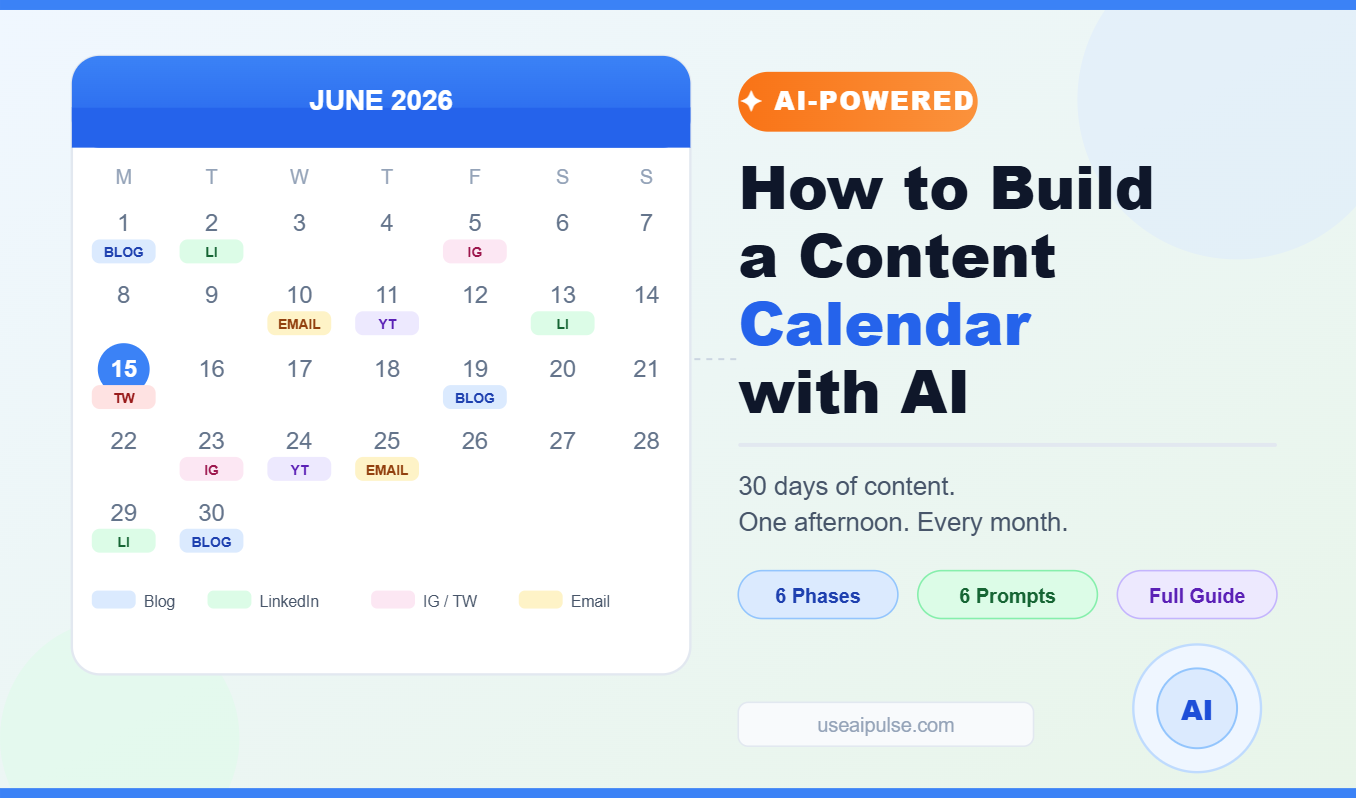
I used to spend the first hour of every Monday morning staring at a blank content plan, low on coffee and ideas, trying to figure out what to post that week. Not because I lacked things to say — I had plenty. But translating “plenty of things to say” into a structured, realistic publishing schedule for five platforms felt like a separate full-time job on top of the content itself.
- Why Most Content Calendars Fall Apart (And What AI Fixes)
- Phase 1: Define Your Content Foundation (Do This Once)
- Phase 2: Generate a Month of Topic Ideas in One Session
- Phase 3: Map Topics to Platforms and Formats
- Phase 4: Build the Actual Calendar Grid
- Phase 5: Pre-Draft Your High-Effort Pieces Now
- Phase 6: Set Up a Batching Rhythm That Doesn’t Break
- The Prompts That Make This System Work
- The One Thing That Will Kill This System
- Frequently Asked Questions
- The Takeaway
I don’t do that anymore. Now I sit down one afternoon a month, spend about three hours with an AI assistant and a few focused prompts, and walk away with a complete 30-day content calendar: topics, angles, formats, platform assignments, and rough drafts of the most time-consuming pieces. Everything organized, nothing forgotten, nothing invented last-minute at 11pm because a post was due at midnight.
This guide is the exact system I built to get there. Not a list of tips. A complete, repeatable workflow that you can run on your own content, starting today.
Why Most Content Calendars Fall Apart (And What AI Fixes)
Most content calendars fail for one of three reasons.
Reason one: the planning is disconnected from the doing. You build a beautiful spreadsheet full of topic ideas, but when Monday comes and it’s time to write, you look at the topic and feel nothing. The idea made sense when you planned it; now it feels thin and you don’t know how to execute it. So you wing it, or you skip it, and the calendar starts to decay.
Reason two: the calendar is too rigid. You commit to five posts a week across three platforms, and the moment real life interrupts — a busy client week, a sick kid, a creative block — you fall behind and can’t catch up. The gap grows, the plan feels broken, and you quietly abandon it.
Reason three: the ideas run out. Most people can brainstorm ten or fifteen topic ideas without much trouble. A 30-day calendar for multiple platforms might need fifty. That’s where the tank empties, the quality drops, and you start recycling the same topics you wrote about six months ago.
AI fixes all three problems when used correctly.
It doesn’t just help you write faster. It helps you plan at a level of depth you’d never do manually — because the mechanical work of generating, organizing, and cross-referencing ideas no longer falls entirely on you. The thinking is still yours. The scaffolding is AI’s.
Here’s how to build that system from the ground up.
Phase 1: Define Your Content Foundation (Do This Once)
Before AI can help you plan anything useful, you need to give it something real to work with. This phase is the 20 minutes of honest thinking that makes everything else ten times better.
Open a document and answer four questions:
1. Who is your audience, specifically? Not “entrepreneurs” or “small business owners.” Think about the person who actually engages with your content most. What do they struggle with? What do they already know? What keeps them up at night? The more specifically you can describe this person, the better every AI output will be.
2. What is your content’s core job? Content calendars built around vague goals (“build my brand,” “stay consistent”) always drift. Content built around a specific job — drive email subscribers, generate inbound leads for my services, establish credibility in a specific niche — stays focused. Pick one primary job.
3. What are your three to five signature topics? These are the areas you know well enough to write about with genuine authority. Not everything in your field — your specific angles. For a freelance copywriter, it might be client communication, pricing psychology, and building a portfolio. For a fitness creator, it might be training for beginners, avoiding injury, and the mental side of consistency. Your signature topics are the spine of every calendar you’ll build.
4. What platforms and formats are you actually committing to? The answer should match your real capacity, not your ambitions. A solo creator with a day job is not publishing daily on four platforms. Be honest. A good content calendar for a solo creator might be two blog posts per month, four LinkedIn posts per week, and one email newsletter every two weeks. That’s a sustainable system. An ambitious one for most people.
Once you’ve answered these four questions, save them as a single reference document. You’ll paste this into every AI session you run for planning. Call it your Content Brief — it’s the context that keeps everything on-brand and on-strategy without you having to re-explain yourself every session.
Phase 2: Generate a Month of Topic Ideas in One Session
This is the phase most creators skip, because it feels like the planning stage should be quick. It shouldn’t be. The more time you invest in a solid topic bank upfront, the less time you spend scrambling later.
Open your AI tool and paste your Content Brief, then run this prompt:
“Based on the audience, core job, and signature topics I’ve described, generate 40 content ideas for the next 30 days. For each idea, give me: a working title, the core insight or argument in one sentence, and which of my signature topics it falls under. Distribute the ideas across my topics evenly, and vary the angles — some should be practical how-to content, some should be opinion or perspective pieces, some should challenge a common assumption in my field, and some should be personal story-based. Don’t repeat the same angle twice in a row.”
Read through what comes back. This is not your final list — it’s your raw material. Do three things with it:
Cut ruthlessly. Any idea that feels generic or that you couldn’t write with personal authority, delete it. You should feel at least mild excitement about every idea that survives this cut.
Add what’s missing. AI will miss ideas that only you could know — things you’ve experienced this month, observations from client work, questions you’ve been asked repeatedly, trends you’ve noticed that no one’s talking about yet. Add those manually. These are often the best-performing pieces you’ll publish.
Mark the ones you can write quickly versus the ones that need research. Quick-to-write ideas go into your high-frequency formats (LinkedIn posts, social content). Research-heavy ideas become your long-form anchor pieces.
By the end of this session you should have 25 to 30 ideas you genuinely want to write, organized by signature topic and flagged by format. That’s your topic bank for the month.
Phase 3: Map Topics to Platforms and Formats
Not every idea fits every format, and forcing them does damage to both. A nuanced argument that took you three paragraphs to develop in a blog post becomes meaningless as a quote card. A quick practical tip that works perfectly as a LinkedIn one-liner turns into padding when forced into a 1,000-word article.
Here’s how to match them intelligently.
Take your topic bank and categorize each idea by what format it naturally fits:
Long-form anchor content (blog posts, newsletters, YouTube videos): Ideas that need development — a step-by-step process, a comparison between options, a case study, an argument that requires evidence. These take the most time to produce but do the most SEO and credibility work. Aim for two to four per month.
Medium-form social content (LinkedIn posts, Twitter threads, email segments): Ideas that have a clear hook and a point that can land in 200–500 words. Personal stories, opinions, surprising observations, quick frameworks. These are your consistency drivers — they keep your audience hearing from you regularly between anchor pieces. Aim for three to five per week.
Short-form content (Instagram captions, short Reels scripts, quote cards, story slides): Ideas that can be expressed in a single sharp sentence or a 30-second clip. A bold claim. A quick tip. A “what most people get wrong about X” opener. These extend reach and feed new audiences toward your deeper content. Aim for daily if the platform demands it, or skip it if it doesn’t.
Once you’ve sorted your ideas into these three buckets, the calendar builds itself. Assign your long-form anchor pieces to specific dates first — these are your load-bearing content and they need the most lead time. Then fill in the medium-form pieces week by week. Then drop in short-form content to fill gaps and feed your highest-frequency platforms.
A prompt that makes this step faster:
“Here is my list of [X] content ideas. For each one, recommend the best format (long-form article, LinkedIn post, Twitter thread, short-form video script, email segment, or social quote card) based on the depth of the idea and how well it lends itself to each format. Then suggest which three ideas would work best as anchor content for a 30-day calendar.”
The AI won’t get every recommendation right — your judgment overrides — but it surfaces patterns and options you wouldn’t have considered manually.
Phase 4: Build the Actual Calendar Grid
This is the part most calendar guides start with, but it only works once you have Phases 1 through 3 done. An empty grid with no ideas and no strategy behind it is just pressure.
You can build your calendar in whatever tool fits your workflow: a spreadsheet, Notion, Trello, a simple paper notebook. The format matters less than the information it captures. Every entry in your calendar should have:
- Date
- Platform
- Format (article, LinkedIn post, Reel script, email, etc.)
- Topic title
- Core angle (the one sentence that tells you what this piece is actually arguing or demonstrating)
- Status (not started / draft / in review / scheduled / published)
That last column — the core angle — is the one most people skip, and it’s the most important one. When you sit down to write a piece three weeks from now, you won’t remember what made the idea feel good when you planned it. The core angle is the note to your future self that says: “Here’s the actual point. Write toward this.”
Ask your AI to draft the full calendar grid once you’ve assigned ideas to dates:
“Based on the following 28 content ideas assigned to these format categories, build a 30-day content calendar grid. Spread the content evenly across the month. Put the two anchor blog posts on [specific dates] to give me time to research and write them. Alternate between different signature topics each week so I’m not publishing the same subject four times in a row. Format it as a simple table with columns for: date, platform, format, title, core angle.”
Review the output, move things around manually where needed, and you have your calendar. Not a list of vague intentions — a specific plan with a clear output for every slot.
Phase 5: Pre-Draft Your High-Effort Pieces Now
This is the step that separates a calendar that gets executed from one that gets abandoned. If you only have topic titles and dates, you’re still starting from scratch every time you sit down to write. If you have pre-drafted outlines and rough opening paragraphs for your anchor pieces, you’re finishing instead of starting — which is a completely different psychological experience.
For each of your long-form anchor pieces, run this prompt:
“Help me pre-draft the following article. Here’s the title: [title]. Here’s the core angle: [one sentence]. My audience is [description]. I want the article to be around [word count]. Generate: (1) a detailed H2/H3 outline, (2) three possible hook opening paragraphs — one story-based, one with a bold claim, one that opens with a surprising statistic or question, and (3) a draft of the most technically complex section, which is [name the section]. Write the opening options in a conversational, direct tone, not an essay tone.”
You won’t use everything that comes back. But you’ll have a complete skeleton, three options for the hardest sentence you’ll ever write (the first one), and a rough draft of the section that would take you the longest to write manually. On writing day, you’re editing and shaping — not building from nothing.
Do the same for your email newsletter and any Twitter threads that require more than a quick thought. The pre-draft step takes about 20 minutes per anchor piece in planning, and it saves you an hour or more when execution day comes.
Phase 6: Set Up a Batching Rhythm That Doesn’t Break
The biggest mistake with AI-assisted content systems is treating the plan as the result. The calendar is not the content. You still have to write, record, design, and publish. What you’ve done is remove the friction of figuring out what — now you have to remove the friction of when and how.
Batching is the answer. Instead of creating content every day, you create in concentrated sessions on fewer days. Most content creators who use this system settle into a rhythm that looks something like this:
Planning day (once a month, 3 hours): Run Phases 1 through 5. Walk out with your full calendar and pre-drafted outlines for every anchor piece.
Writing day (once a week, 2 to 3 hours): Write and finalize all the content due that week. Long-form pieces become a priority here; medium-form posts get written and scheduled in the same session.
Quick-content days (10 to 15 minutes daily or as needed): Short-form social posts, story slides, and spontaneous reactive content. These should be so simple they don’t require a session — just the discipline to do them.
The monthly planning session is the keystone. If you do that one session well, every other piece of the system is easier. Skip it, and you’re back to Monday morning staring at a blank screen.
The Prompts That Make This System Work
Here’s a consolidated list of the six core prompts from this workflow, ready to copy and adapt:
1. Topic generation:
“Based on my Content Brief [paste it], generate 40 content ideas for 30 days. For each: title, core insight in one sentence, signature topic it falls under. Vary the angles: practical, opinion, myth-busting, and story-based.”
2. Format matching:
“For each idea in this list, recommend the best format and flag the three strongest candidates for long-form anchor content.”
3. Calendar grid:
“Build a 30-day calendar table with columns for date, platform, format, title, and core angle. Spread topics evenly, alternate between signature topics each week, and place anchor pieces on [dates].”
4. Anchor piece pre-draft:
“Pre-draft [title]. Audience: [description]. Generate: a full H2/H3 outline, three hook opening options (story, bold claim, statistic), and a draft of the [hardest section].”
5. Headline variations:
“Give me 8 headline variations for this article: [title]. Mix clarity-first, curiosity-driven, and benefit-led angles. Write them for someone scanning a blog, not an academic.”
6. Platform-specific rewrites:
“Take the core argument from this article [paste key section] and rewrite it as: (a) a 250-word LinkedIn post with a hook opening, (b) a 6-tweet thread with a curiosity-driven first tweet, and (c) a 45-second Reel script with a hook in the first three seconds.”
These six prompts, run in sequence on your own content and audience, will do more for your publishing consistency than any calendar template you’ve ever downloaded.
The One Thing That Will Kill This System
The worst thing you can do with this workflow is use it to schedule content you don’t actually believe in.
AI makes it easy to fill a calendar. Filling a calendar with safe, generic, uninspired content that no one asked for and no one will remember is still a failure — it’s just a better-organized failure. The AI handles the volume problem. You still have to handle the quality problem.
That means two things in practice.
First: your Content Brief has to be honest. If you write it vaguely to cover more ground, every idea generated from it will be vague too. Be specific about your audience, your angle, your actual expertise. The narrower your brief, the better your output.
Second: after every planning session, ask yourself one question about each piece you’ve scheduled: would I be glad I wrote this in three months, or would I cringe? If the answer is “cringe,” cut it now. Better to have 20 pieces you’re proud of than 40 pieces you’re embarrassed by.
Volume is the tool’s gift. Judgment is yours. Neither works without the other.
Frequently Asked Questions
How long does the full planning session actually take? The first time through, budget four hours. You’ll be learning the workflow as you go. After two or three months of running it, most creators get the whole thing done in two to three hours. The planning session gets faster as your Content Brief gets sharper and the prompts become second nature.
Do I need to use any specific AI tool for this? No. Any capable AI assistant handles all six prompts in this system. The quality difference between tools at this task is smaller than the quality difference between a thoughtful prompt and a vague one. Invest in your prompting, not your tool subscription.
What if I fall behind on the calendar mid-month? Compress, don’t abandon. If you’re two weeks behind, cut the remaining pieces in half and focus on the most important ones. A 50% executed good plan beats a 0% executed perfect plan. The calendar is a target, not a contract.
Should I plan evergreen content or timely content? Both, in proportion. Evergreen content (how-to articles, frameworks, explainers) builds your long-term traffic and credibility — plan the majority of your anchor pieces here. Timely content (reactions to trends, commentary on news in your field) drives short-term reach — these fit naturally in your quick-turnaround social slots and don’t need heavy pre-planning. A rough ratio of 70% evergreen to 30% timely works well for most creators.
How do I keep the content sounding like me and not like a robot? Two habits prevent the “AI voice” problem. The first is always pre-writing your own opinions and examples before you prompt — paste them in as raw material the AI shapes, not something it invents from scratch. The second is reading every draft out loud before you use it. If it sounds like you talking, it’s ready. If it sounds like a press release, rewrite the flat sentences in your own rhythm. The edit pass is non-negotiable.
Can this work for a team, not just a solo creator? Yes, with one addition: assign a single person to own the Content Brief and the monthly planning session. When too many people input to the strategy phase, the brief gets vague and the calendar gets unfocused. One person plans, the team executes. Everyone can contribute ideas, but one person curates them into the final list.
The Takeaway
Building a content calendar with AI is not about doing less. It’s about concentrating your thinking into fewer, deeper sessions — and letting the system carry the scaffolding so your energy goes into the ideas and execution that only you can provide.
The creators who are winning at content in 2026 are not the ones publishing the most. They’re the ones who figured out a system that matches their real capacity, keeps their best ideas visible, and removes the daily decision-making that used to drain them before they’d written a single word.
This is that system.
Run the planning session once. Build the brief, generate the bank, map the formats, build the grid, pre-draft the anchors. Do it again next month. By month three, you’ll wonder what you were doing before.