


A good AI prompt tells the chatbot who it should be, what it needs to know, what to do, and how to format the answer. Add those four pieces and even a beginner gets clearer, more useful results from ChatGPT, Claude, or Gemini. This guide shows the formula, real before-and-after examples, and the mistakes that waste the most time.
- What Is a Prompt, and Why Does Wording Matter?
- The Four-Part Prompt Formula: Role, Context, Task, Format
- Before-and-After Prompt Examples
- How to Improve a Weak Answer
- Prompt Techniques Beginners Can Use Today
- Common Prompt Mistakes to Avoid
- Frequently Asked Questions
- Conclusion: Clear Instructions Beat Clever Tricks
What Is a Prompt, and Why Does Wording Matter?
A prompt is simply the message you type to an AI tool. It can be a question, an instruction, or a block of text you want rewritten.
Most beginners write prompts the way they write search queries: a few keywords and hope for the best. That works poorly, because a chatbot is not a search engine. It reads your words as instructions and tries to continue the conversation in the most likely way.
A Prompt Is an Instruction, Not a Search
When you search Google, you get a list of pages. When you prompt a chatbot, you get a fresh answer built from patterns it learned in training.
That means the answer depends heavily on what you put in. If you want a friendly email for a nervous customer, saying “write an email” leaves the tool to guess everything: the tone, the length, the reader, and the goal.
Why Vague Prompts Give Vague Answers
AI tools fill gaps with the most average choice available. Ask for “tips for saving money” and you will get the same generic list everyone else gets.
Give the tool your situation, your limits, and your goal, and the answer becomes specific. The difference is rarely about clever tricks. It is about giving the tool enough to work with.
If any of the jargon in this guide is new, our AI glossary for beginners explains each term in plain English.
The Four-Part Prompt Formula: Role, Context, Task, Format
You do not need to memorize dozens of techniques. One simple formula covers most everyday needs.
| Part | The question it answers | Example |
|---|---|---|
| Role | Who should the AI act as? | “Act as a friendly career coach.” |
| Context | What does it need to know? | “I’m a teacher moving into marketing.” |
| Task | What exactly should it do? | “Suggest three job titles to search for.” |
| Format | What should the answer look like? | “Use a short bulleted list with one line each.” |
You will not need all four every time. A quick factual question may need only a task. A longer piece of work benefits from all of them.
Role: Who Should the AI Be?
Giving the tool a role sets the tone and the level of detail. “Act as a patient math tutor for a 12-year-old” produces a very different answer than “Act as a university professor.”
Keep the role realistic and relevant. You are not unlocking secret powers. You are telling the tool which voice and vocabulary to use.
Context: What Does It Need to Know?
Context is the most underrated part. Include who the answer is for, what you have already tried, and any limits such as budget, time, or word count.
A useful habit is to imagine you are briefing a smart new assistant on their first day. They are capable, but they know nothing about your situation until you say it.
Task: What Exactly Should It Do?
Start with a clear action verb: summarize, compare, rewrite, brainstorm, explain, outline, or list. Avoid fuzzy requests like “help me with my report.”
Be specific about the outcome. “Summarize this article in five bullet points for a busy manager” beats “summarize this.”
Format: What Should the Answer Look Like?
Tell the tool how to deliver the answer. Do you want a table, a short email, a step-by-step list, or a single paragraph?
You can also set the length: “under 150 words,” “three options,” or “one sentence per item.” Format instructions save you from reformatting the answer yourself.
Before-and-After Prompt Examples
Seeing the difference makes the formula click. Here are six everyday prompts, weak and improved.
| Goal | Weak prompt | Stronger prompt |
|---|---|---|
| Study help | “Explain photosynthesis.” | “Explain photosynthesis to a 14-year-old using one everyday analogy. Keep it under 120 words, then give me three quiz questions.” |
| “Write an email to my boss.” | “Write a polite email asking my manager for Friday afternoon off. I’ve finished my reports this week. Keep it under 80 words and sound relaxed but professional.” | |
| Meal planning | “Give me a meal plan.” | “Create a 5-day dinner plan for two people on a $60 budget. We’re vegetarian and have only 30 minutes to cook. Present it as a table with a shopping list at the end.” |
| Job search | “Improve my résumé.” | “Act as a recruiter. Here is my résumé summary: [paste]. Suggest three ways to make it clearer for marketing roles. Do not invent experience I don’t have.” |
| Travel | “Plan a trip to Rome.” | “Plan a relaxed 3-day trip to Rome for a couple who love food and dislike crowds. Include one morning, afternoon, and evening activity per day.” |
| Writing | “Make this better.” | “Rewrite the paragraph below to be shorter and friendlier. Keep the main facts the same. Give me two versions.” |
Notice what changed. The stronger prompts name the audience, set limits, and say what the output should look like. None of them needs special wording.
For prompts aimed at work tasks, our collection of 50 ready-to-use business prompts gives you templates you can adapt.
How to Improve a Weak Answer
Your first prompt rarely gives the perfect result, and that is normal. The real skill is steering the conversation after the first answer.
Ask for Revisions Instead of Starting Over
If the answer is close but not right, say what to change. “Make it shorter,” “use simpler words,” or “add a real-world example” works better than rewriting the whole prompt.
Treat the exchange as a conversation. Each follow-up narrows the result.
Give Specific Feedback
Vague feedback gets vague changes. Compare “this isn’t good” with “the tone is too formal and the second paragraph repeats the first.”
Point to the exact problem. The more precisely you describe it, the more precisely the tool can fix it.
Let the AI Ask You Questions First
For bigger tasks, try ending your prompt with: “Before you answer, ask me up to five questions that would help you do this well.”
This flips the process. The tool gathers the context you forgot to mention, and the final answer fits you far better.
Prompt Techniques Beginners Can Use Today
Once the basic formula feels natural, a few small habits make a big difference.
- Show an example. Paste a sample of the style you want and say “match this tone.” Examples teach faster than descriptions.
- Ask for steps. For anything involving a decision or a calculation, ask the tool to work through it step by step so you can spot mistakes.
- Set constraints. Limits on length, reading level, or number of options keep answers focused.
- Request a draft, then refine. Ask for a rough version first and polish it in follow-ups.
- Give permission to say “I don’t know.” Tell the tool to say so when it is unsure instead of guessing.
- Ask for sources you can check. Request references, then open them yourself, since tools can invent citations.
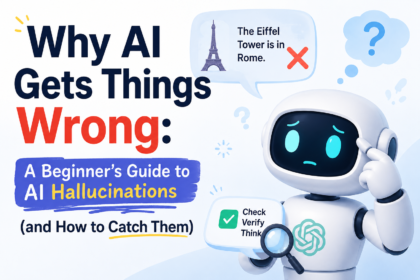
These last two habits matter because chatbots sometimes state wrong information with total confidence. Our guide to why AI gets things wrong explains how to catch those errors before they cause trouble.
A Reusable Prompt Template
Copy this and fill in the brackets whenever you are stuck:
Act as [role]. I’m [your situation and goal]. Please [specific task]. Keep it [length, tone, reading level]. Format the answer as [list, table, email, etc.]. If you need more information, ask me before you answer.
Save your best prompts in a note on your phone or computer. Reusing a prompt that worked once is the fastest way to get consistent results.
Common Prompt Mistakes to Avoid
Almost every beginner makes the same handful of errors. Fixing them gives the biggest improvement for the least effort.
- Being too vague. “Help me with marketing” gives the tool nothing to work with. Say which product, which audience, and which goal.
- Cramming too much into one prompt. Asking for a strategy, a logo idea, and a budget in one message produces a messy answer. Split big jobs into steps.
- Forgetting the audience. An explanation for a child and one for an engineer should look different. Always name the reader.
- Accepting the first answer. The first reply is a draft. Ask for changes and compare versions.
- Pasting sensitive information. Never include passwords, ID numbers, health records, or private client data. Check each tool’s privacy settings before sharing anything personal.
- Trusting without checking. Verify names, numbers, dates, and quotes before you use them anywhere that matters.
Different tools also respond a little differently, so it is worth testing the same prompt in more than one. Our Claude vs ChatGPT vs Gemini comparison can help you decide which one to start with.
A Five-Minute Practice Routine
You learn prompting by doing, not by reading. Try this short routine once a day for a week:
- Pick one real task from your day, such as an email, a summary, or a plan.
- Write a weak prompt and note the result.
- Rewrite it using role, context, task, and format.
- Compare the two answers side by side.
- Save the better prompt for next time.
After a few days you will start writing strong prompts without thinking about the formula.
When a Prompt Still Isn’t Working
Sometimes a well-built prompt still disappoints. Before you give up, run through three quick checks.
- Is the task too big? Break it into smaller steps and handle each one in turn.
- Is something missing? Add the background you assumed the tool already knew, such as your audience or your goal.
- Is the conversation too long? Long chats can drift. Start a fresh chat and paste in only the details that matter.
These fixes solve most stubborn cases without any technical knowledge.
Frequently Asked Questions
Do I need to learn “prompt engineering” to use AI well? No. Prompt engineering sounds technical, but for everyday use it is just clear communication. If you can brief a coworker well, you can write a good prompt.
How long should a prompt be? As long as it needs to be. A simple question can be one sentence. A complex task may take a short paragraph. Length matters less than clarity and relevant detail.
Is it better to write one long prompt or several short ones? For big tasks, several short steps usually work better. Ask for an outline first, approve it, then request each section. This keeps the answer on track and easier to correct.
Do I have to say “please” to the AI? No. Politeness is optional and does not change the quality of the answer. Clear instructions matter far more than manners, though being polite does no harm.
Can the same prompt give different answers each time? Yes. These tools involve some randomness, so repeating a prompt can produce different wording or ideas. If you like a result, copy it, and if you want options, ask for several versions at once.
Are free chatbots good enough for practicing prompts? Yes. Free versions are enough to learn the basics. Paid plans mainly offer higher limits and stronger models, which matter once you use AI daily.
Should I trust what the AI tells me? Treat every answer as a draft. Check facts, numbers, and sources, especially for health, money, or legal topics, and ask a professional when the stakes are high.
Conclusion: Clear Instructions Beat Clever Tricks
Good prompting is not magic. It comes down to telling the tool who it should be, what it needs to know, what to do, and how to present the result. Add a quick round of feedback, and your answers improve immediately.
Start today with one small task. Write a weak prompt, rewrite it with the four-part formula, and compare the results. Keep the versions that work, and build your own small library of prompts. In a week, the habit will feel natural.