

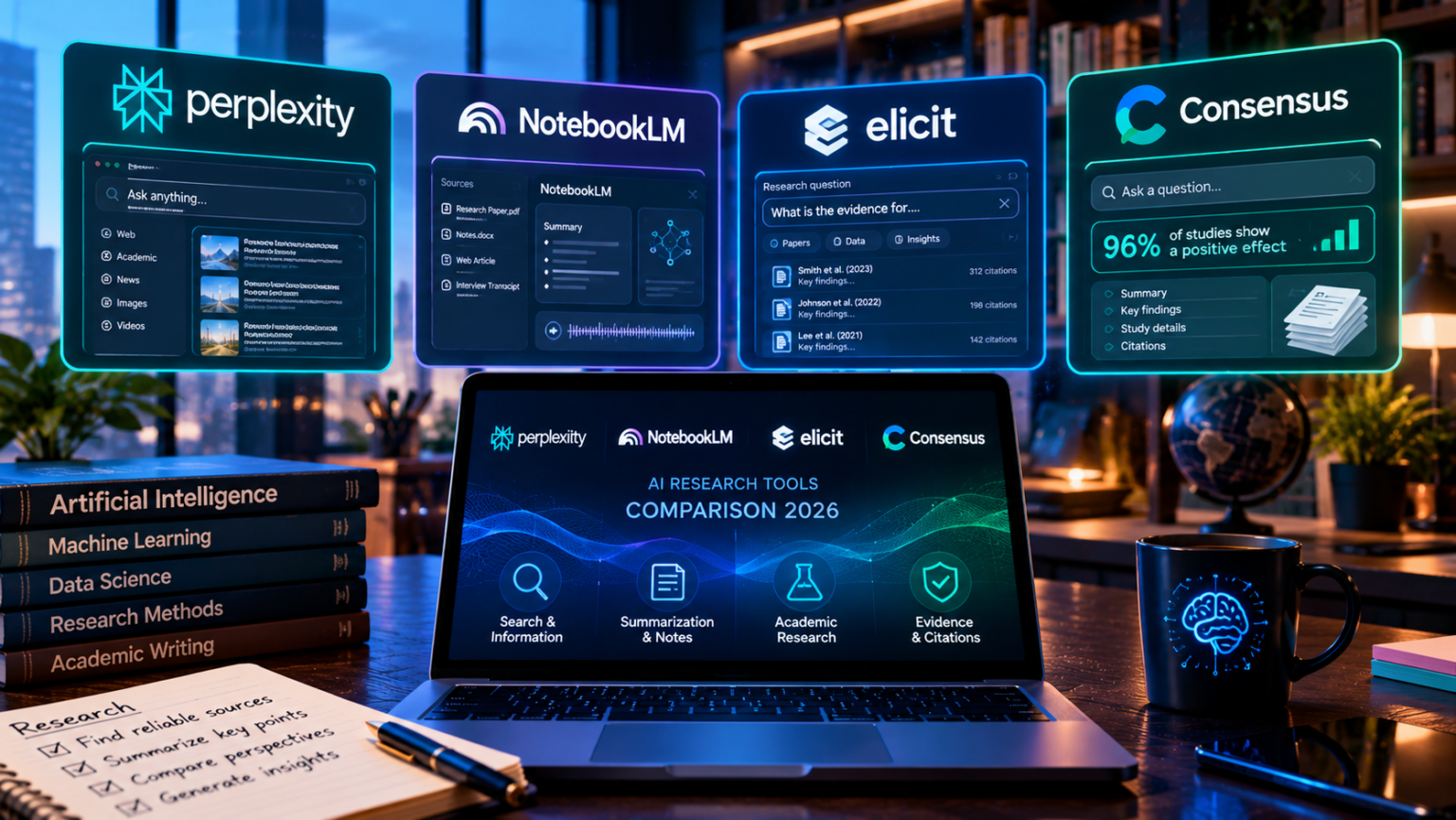
The best AI research tool depends on where your sources live: Perplexity is best for fast, cited answers from the live web, NotebookLM is best for your own documents, and Elicit and Consensus are best for scientific papers. Most people get the best results by combining two or three of them, and many of the strongest options have free plans.
- What Are AI Research Tools and How Do They Work?
- Quick Comparison: The Best AI Research Tools in 2026
- Perplexity: Best for Fast, Cited Web Research
- NotebookLM: Best for Research on Your Own Documents
- Elicit: Best for Literature Reviews and Data Extraction
- Consensus: Best for Quick Answers to Scientific Questions
- Other Strong Options: Semantic Scholar, Scite, and ResearchRabbit
- Which AI Research Tool Should You Use? A Quick Guide
- How to Build an AI Research Workflow That You Can Trust
- How to Avoid AI Research Mistakes
- Frequently Asked Questions About AI Research Tools
- What is the best AI research tool in 2026?
- Is there a free AI research tool?
- Can AI tools make up sources?
- Is Perplexity better than ChatGPT, Claude, or Gemini for research?
- What is the difference between Elicit and Consensus?
- Is it safe to upload private documents to AI research tools?
- Can students use AI research tools for school?
- Conclusion: Combine Tools, Check Sources
This guide compares the leading AI research tools on accuracy, citations, pricing, and ideal use cases, so you can build a research workflow that saves time without trusting a made-up source.
What Are AI Research Tools and How Do They Work?
An AI research tool uses a large language model to search, read, and summarize information for you. Instead of opening twenty tabs and skimming each page, you ask a question and get a written answer with links to the sources behind it.
This is different from a general chatbot. A good research tool is built around sources: it finds them, shows them, and ties each claim to a specific document. That makes it easier to check the answer and much harder for the tool to invent things.
Three Types of AI Research Tools
Most tools fall into one of three groups:
- Web research tools search the live internet and cite pages. Perplexity is the best-known example, and several general assistants now offer a deep research mode that produces long reports.
- Document research tools work only on files you upload, such as PDFs, notes, and transcripts. NotebookLM is the leading example.
- Academic research tools search peer-reviewed papers and extract findings, methods, and results. Elicit, Consensus, Semantic Scholar, and Scite belong here.
Knowing which group you need is more important than picking a famous brand.
Why Citations Matter (and Why They Are Not Enough)
AI models can sound confident while being wrong. Research tools reduce this risk by attaching citations, but a citation is not proof. Sometimes a tool links to a real page that does not actually support the claim, and general chatbots without search can invent references that do not exist.
The safe habit is simple: use the tool to find and summarize, then open the source yourself for anything important. We will return to this in the section on verification.
What to Look For Before You Choose
Compare tools on five points:
- Source quality. Does it search the open web, academic databases, or only your files?
- Citation clarity. Can you click straight to the passage that supports a claim?
- Limits on the free plan. How many searches, papers, or reports do you get?
- Export options. Can you save tables, notes, or reference lists?
- Privacy. What happens to the documents and questions you upload?
Quick Comparison: The Best AI Research Tools in 2026
The table below summarizes the main options. Prices and limits change frequently, so check each official pricing page before you subscribe.
| Tool | Best for | Searches | Free plan | Typical paid price |
|---|---|---|---|---|
| Perplexity | Fast, cited web research | Live web and some academic sources | Yes | About $20/month or $200/year |
| NotebookLM | Understanding your own documents | Only your uploaded sources | Yes | Included in Google AI plans, from about $5 to $20/month |
| Elicit | Literature reviews and data extraction | Academic papers | Yes, limited | About $12/month and higher tiers |
| Consensus | Yes-or-no scientific questions | Peer-reviewed papers | Yes, limited | About $9 to $15/month |
| Semantic Scholar | Free paper discovery | Academic papers | Fully free | Free |
| Scite | Checking how papers cite each other | Academic papers | Limited | Paid plans |
| ResearchRabbit | Mapping related papers | Academic papers | Free | Free |
Perplexity: Best for Fast, Cited Web Research
Perplexity works like a search engine that writes a short answer instead of giving you ten links. Every statement is paired with numbered sources, so you can check where each fact came from.
What Perplexity Does Well
- Speed. You get a sourced summary in seconds.
- Clear citations. Sources appear next to the claims they support.
- Follow-up questions. You can keep digging in a single conversation.
- Deep research mode. Paid plans offer longer, multi-step investigations for bigger questions.
- Good starting point. It helps you learn the vocabulary of a topic before you search more precisely.
It is a strong default for everyday knowledge work, such as comparing products, summarizing news, or learning the basics of an unfamiliar subject.
Perplexity Pricing
The free plan covers casual use with limited advanced searches. The Pro plan is commonly listed at about $20 a month, or around $200 a year, and raises limits on deep research and advanced models. Higher tiers exist for heavy users.
Where Perplexity Falls Short
- It reads the web, so quality depends on the pages it finds.
- It is not designed for systematic academic reviews.
- Short answers can hide nuance, so important claims still need checking.
If you are also deciding between general assistants, our comparison of the best AI chatbots in 2026 shows how Perplexity stacks up against ChatGPT, Claude, and Gemini.
NotebookLM: Best for Research on Your Own Documents
NotebookLM, from Google, takes a different approach. You upload your sources, such as PDFs, web pages, notes, and transcripts, and the tool answers questions using only those materials. Each answer points back to the exact passage it used.
What NotebookLM Does Well
- Source-grounded answers. Because it stays inside your files, it is much less likely to invent facts.
- Summaries and study guides. It can turn a pile of documents into briefings, outlines, and FAQs.
- Audio overviews. It can create a spoken, podcast-style summary of your materials.
- Easy to learn. Create a notebook, add sources, and start asking questions.
- Great free option. The standard plan costs nothing and is enough for many people.
NotebookLM Pricing
The basic version is free, with limits on the number of notebooks and sources. Higher limits come through Google’s paid AI plans, which are generally listed from about $5 a month up to about $20 a month, with more expensive tiers for heavy use.
Where NotebookLM Falls Short
- It does not search the web or academic databases for you. You must find and upload the sources first.
- Its answers are only as good as the documents you give it.
- Very large projects may hit source limits.
Think of it as the tool you use after you have collected your materials.
Elicit: Best for Literature Reviews and Data Extraction
Elicit is built for researchers who need to read many scientific papers quickly. You ask a research question, and it finds relevant studies, then shows key details in a table: methods, sample size, outcomes, and limitations.
What Elicit Does Well
- Structured tables. Compare dozens of papers side by side without copying data by hand.
- Paper search at scale. It searches a very large collection of scientific literature.
- Screening and extraction. Higher tiers help with the repetitive steps of a systematic review.
- Evidence focus. The workflow encourages you to check what each paper actually says.
Elicit Pricing
Elicit has a free basic plan with limits. Paid plans are commonly listed from around $12 a month, with higher tiers for professional and team use that cost considerably more. Pricing tiers have changed over time, so confirm the current plans on the official site.
Where Elicit Falls Short
- Serious review features can get expensive.
- It is overkill for casual questions.
- Extracted data can contain errors, so you still need to verify key numbers against the paper.
Consensus: Best for Quick Answers to Scientific Questions
Consensus is an academic search engine designed around questions like “Does intermittent fasting improve blood sugar?” It searches peer-reviewed papers and summarizes what the research says, including a meter that shows how studies lean: yes, possibly, mixed, or no.
What Consensus Does Well
- Fast read on a scientific debate. The agreement meter helps you see the balance of findings.
- Peer-reviewed focus. Results come from research papers, not random websites.
- Simple interface. It is easy for students and non-specialists.
- Good for health and science questions. It handles empirical, yes-or-no style queries well.
Consensus Pricing
Consensus offers a limited free tier, with paid plans commonly listed between about $9 and $15 a month, depending on billing and features. Check the official page for current limits.
Where Consensus Falls Short
- It works best for questions that studies can actually answer.
- A meter simplifies complex evidence, so read the underlying papers.
- It is less useful for business, news, or opinion topics.
Other Strong Options: Semantic Scholar, Scite, and ResearchRabbit
Several specialized tools are worth knowing, especially if you want a low-cost workflow.
Semantic Scholar
Semantic Scholar, built by the Allen Institute for AI, is a free academic search engine with short AI-generated summaries and citation information. It is one of the best free ways to find papers.
Scite
Scite shows how later papers cite a study, labeling citations as supporting, contrasting, or simply mentioning it. That helps you see whether a finding has been confirmed or challenged.
ResearchRabbit
ResearchRabbit helps you explore related papers visually. Start with one article you like, and it maps connected authors, citations, and topics so you can discover more.
Deep Research Modes in General AI Assistants
Major AI assistants now offer deep research features that plan a project, search many pages, and produce a long report. These are useful for broad topics when you want a first draft, but they can be slower and more expensive than simple tools, and you still need to check the sources they cite.
Which AI Research Tool Should You Use? A Quick Guide
Use this table to match the tool to the job.
| Your situation | Best starting tool | Why |
|---|---|---|
| Quick facts and everyday research | Perplexity | Fast answers with clear citations |
| Reports, PDFs, or notes you already have | NotebookLM | Answers stay inside your documents |
| Formal literature review | Elicit | Screening and extraction tables |
| Does the science agree on this? | Consensus | Evidence meter across studies |
| Free paper discovery | Semantic Scholar | Large, free academic index |
| Checking if a study has been challenged | Scite | Supporting and contrasting citations |
| Exploring a new topic visually | ResearchRabbit | Citation maps and related work |
How to Build an AI Research Workflow That You Can Trust
A single tool rarely does everything well. The best workflow chains a few of them and keeps a human in the loop.
- Frame your question. Write down exactly what you want to know and what a good answer looks like.
- Start broad. Use Perplexity or a deep research mode to learn the landscape and key terms.
- Find strong sources. Use Semantic Scholar, Consensus, or Elicit for academic papers, or collect trusted reports and articles.
- Load sources into NotebookLM. Ask detailed questions that stay grounded in your chosen materials.
- Verify the important claims. Open the original source and confirm the statement, the numbers, and the date.
- Write in your own words. Use AI for outlines and summaries, but add your own analysis.
- Save your sources. Keep a reference list so you can show where each fact came from.
A Free Research Stack
If you want to spend nothing, combine the free plan of Perplexity for web research, Semantic Scholar for papers, ResearchRabbit for exploring related studies, and NotebookLM for synthesis. This covers most of the research pipeline for students and curious readers.
A Paid Stack for Heavy Users
Professionals who research daily often pair Perplexity for discovery with a document tool and one academic specialist. Add Elicit if you do formal reviews, or Consensus if you answer scientific questions often. Start with one paid plan and add more only when you hit a real limit.
Tips for Writing Better Research Prompts
- Be specific. Ask “What do randomized trials say about X in adults over 50?” instead of “Is X good?”
- Set the scope. State the time period, region, or type of source you want.
- Ask for disagreement. Request the strongest arguments on both sides.
- Request quotes carefully. Ask the tool to show where in the source a claim appears, then check it.
- Ask for uncertainty. Tell it to say when evidence is weak or missing.
For more beginner-friendly tools that pair well with research, see our guide to the best AI tools for beginners and our roundup of AI tools for productivity.
How to Avoid AI Research Mistakes
AI research tools save time, but they can also create problems if you rely on them blindly.
Trusting Citations Without Opening Them
A link is not proof. Sources can be real but irrelevant, outdated, or misread. Click through for any claim you plan to publish, share, or base a decision on.
Using a General Chatbot Without Search
A chatbot that is not connected to search may guess at references. If you need sources, use a tool built around citations, or turn on its search feature, and still verify.
Ignoring the Date
Research ages quickly, especially in technology, health, and law. Check the publication date of every source, and prefer recent studies when the field is moving fast.
Confusing Popular Pages With Good Evidence
A top web result is not always reliable. Prefer primary sources such as studies, official data, and original reports over blog posts that repeat each other.
Uploading Sensitive Documents Carelessly
Before you upload private contracts, client files, or confidential research, read the tool’s privacy policy and settings. Remove personal information when possible, and check whether your content is used to train models.
Letting AI Write the Whole Analysis
AI can summarize, but your judgment is the valuable part. Add your own reasoning, flag limitations, and decide what the evidence really means.
Frequently Asked Questions About AI Research Tools
What is the best AI research tool in 2026?
There is no single best tool. Perplexity is a strong default for fast, cited web research, NotebookLM is best for your own documents, and Elicit and Consensus lead for scientific papers.
Is there a free AI research tool?
Yes. NotebookLM, Semantic Scholar, and ResearchRabbit are free to start, and Perplexity, Elicit, and Consensus offer limited free plans. A free stack can cover most student and hobby research.
Can AI tools make up sources?
Yes. Models can invent references, and even search-based tools can link to pages that do not support the claim. Always open the source and verify important statements before you rely on them.
Is Perplexity better than ChatGPT, Claude, or Gemini for research?
Perplexity is built around citations and speed, which makes it excellent for quick sourced answers. General assistants are often stronger at long writing, analysis, and reasoning once you have gathered sources. Many people use both types together.
What is the difference between Elicit and Consensus?
Elicit is built for deep literature work, with tables that extract details from many papers. Consensus is built for quick answers, summarizing what the research says on a specific question and showing how studies lean.
Is it safe to upload private documents to AI research tools?
It depends on the provider and your settings. Read the privacy policy, check whether your data is used for training, and avoid uploading highly sensitive information unless you are comfortable with the terms.
Can students use AI research tools for school?
Often yes, but rules vary by school and teacher. Use AI to discover and understand sources, cite the original works rather than the AI, and follow your institution’s policy on AI assistance.
Conclusion: Combine Tools, Check Sources
AI research tools can turn hours of searching into minutes, but the best results come from choosing the right tool for the job. Use Perplexity to explore the web, NotebookLM to understand your documents, and Elicit, Consensus, or Semantic Scholar to dig into scientific papers.
Start with free plans, add a paid tool only when you hit a clear limit, and make source checking a habit. A simple workflow with two or three tools will beat any single app that promises to do everything.
If you remember one idea, make it this: AI can find and summarize, but you decide what is true. Pick one question you care about this week, run it through a free stack, and open every source behind the answer.
This article is for general information only and is not legal, academic, medical, or professional advice. AI tools change prices, limits, and features often, so confirm details on each provider’s official website before you subscribe, and verify all important information against original sources.