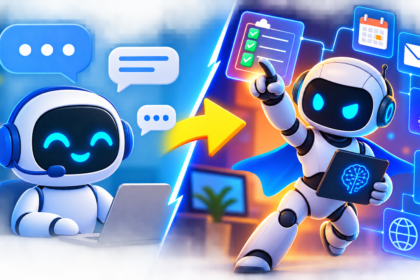
My neighbor has had ChatGPT installed on her phone for over a year. She opened it once, typed “hi,” got a friendly reply, and never opened it again. That’s not unusual. A huge number of people have an AI app sitting on their home screen the same way they have a flashlight app they’ve used exactly once — installed “just in case,” never actually put to work.
- Before You Start: Two Things Worth Knowing
- Around the House and Family Life
- Money, Budgeting, and Paperwork
- Health and Wellness (With Real Limits)
- Learning Something New
- Travel Planning
- Work and Career
- Creativity and Personal Projects
- Relationships and Communication
- A Simple Daily Habit to Build
- Three Real Examples, Start to Finish
- What Not to Hand Over to AI
- Frequently Asked Questions
- Final Thoughts
The gap isn’t access. Almost everyone reading this already has a free AI tool available to them right now. The gap is knowing what to actually ask it to do. Not in the abstract “AI can help with everything” way that every headline promises, but in the specific, boring, Tuesday-afternoon way: what do you type when you’re staring at a pile of dishes, a confusing insurance letter, or a birthday party you haven’t planned yet.
This guide is that list. Thirty concrete, beginner-friendly ways to use AI in ordinary life, organized by the parts of your day where it actually helps, with example prompts you can copy, adjust, and use immediately
Before You Start: Two Things Worth Knowing
You don’t need to understand how AI works under the hood to use it well, but two things will save you a lot of frustration.
First, be specific. “Help me with dinner” gets a generic answer. “I have chicken thighs, spinach, and rice, 30 minutes, one pan, cooking for two adults and a picky 6-year-old” gets a genuinely useful one. The difference between a mediocre AI experience and a great one is almost always the specificity of what you type in. If you want to get properly good at this, How to Write the Perfect AI Prompt walks through the exact structure that turns vague questions into useful answers.
Second, treat answers as drafts, not verdicts. AI is very good at producing something reasonable-sounding fast. It is not infallible, and it can state something incorrect with total confidence — a quirk called a hallucination. For anything that matters, especially numbers, dates, medical or legal specifics, double-check before you act on it. Why AI Gets Things Wrong explains exactly where this shows up and how to catch it before it causes a real problem.
With that out of the way, here’s where AI actually earns its place in an ordinary day.
Around the House and Family Life
This is where most people get the fastest, most obvious payoff, because household life is full of small decisions that used to eat up real time.
1. Meal planning from what’s already in your fridge. Type in whatever ingredients you have and let AI build a few meal options around them instead of a recipe you have to shop for from scratch.
Prompt: “I have ground turkey, bell peppers, canned tomatoes, and rice. Give me 3 dinner ideas, 30 minutes or less, one dish preferred.”
2. Building a weekly grocery list. Ask for a list organized by store section so you’re not backtracking through the aisles.
3. Planning a kid’s birthday party. From theme ideas to a shopping list to a rough timeline for the afternoon, AI can turn a vague idea into an actual plan in minutes.
4. Decoding a confusing bill or letter. Insurance explanations of benefits, utility bills with strange line items, HOA notices — paste the text in and ask for a plain-English summary of what it actually means and whether anything needs action.
5. Writing the awkward messages. Asking a neighbor to trim a hedge, declining a group invitation politely, or following up on a broken appliance under warranty — AI is genuinely good at drafting the message so you don’t have to stare at a blank text box.
6. Organizing a move or a big cleanout. Ask for a room-by-room checklist, a packing timeline working backward from your move date, or a donate/sell/keep decision framework.
7. Planning a week of activities for kids on school breaks. Give it your kids’ ages, your budget, and your location type (city, suburb, rural) and get a genuinely varied list instead of the same three ideas you always default to.
7b. Managing a household calendar conflict. When two family members’ schedules clash — practices, appointments, pickups — describe the moving pieces and ask AI to suggest two or three ways to rearrange the week. It won’t know your family’s unwritten rules, but it’s surprisingly good at surfacing an option you hadn’t considered.
7c. Writing instructions for a babysitter or house-sitter. Turn a scattered mental list — feeding times, alarm codes, emergency contacts, quirks of the dog — into a clean, organized note you can leave on the counter, instead of trying to remember everything out loud on your way out the door.
Money, Budgeting, and Paperwork
AI won’t manage your money for you, and it shouldn’t — but it’s a strong first pass on the tedious parts of financial admin.
8. Building a first-draft budget. Give it your income and rough spending categories and ask for a simple monthly budget structure to start from, then adjust it yourself.
9. Understanding financial terms you keep glossing over. “What’s the actual difference between a fixed and variable rate mortgage, explained simply” gets you a clear answer faster than a wall of search results built for people who already know the jargon.
10. Drafting a negotiation script. Before calling to negotiate a bill, ask AI to draft talking points for lowering your internet, insurance, or subscription costs. You still make the call — it just gets you unstuck on what to say.
11. Summarizing a long financial document. A 40-page mortgage disclosure or a dense terms-of-service update can be pasted in for a plain-language summary of the parts that actually affect you. Just don’t treat the summary as a replacement for reading anything you’re about to sign — use it to know what to look for.
12. Organizing receipts and expenses for taxes. AI can help you build a simple categorized spreadsheet structure, even if you still need to enter or verify the actual numbers yourself.
A quick honesty note here: never paste account numbers, passwords, or full financial statements into an AI chat unless you’ve specifically checked how that tool handles your data. If you haven’t looked at this yet, it’s worth five minutes with How to Stop AI From Training on Your Conversations, which walks through the actual privacy settings in ChatGPT, Claude, and Gemini.
Health and Wellness (With Real Limits)
This is a category where AI is genuinely useful and where the boundaries matter more than anywhere else on this list.
13. Understanding a diagnosis or medical term in plain language. If your doctor said something you didn’t fully catch, asking AI to explain what a term or condition generally means can help you ask better follow-up questions at your next appointment — it should never replace that appointment.
14. Preparing questions before a doctor’s visit. Describe your symptoms and concerns and ask for a list of questions worth bringing up, so you don’t leave the office remembering the important one on the drive home.
15. Building a simple workout or stretching routine. For general fitness goals, AI can put together a beginner routine based on your equipment and time available.
16. Meal planning around a dietary restriction. Gluten-free, low-sodium, diabetic-friendly — AI can generate options faster than scrolling recipe blogs, though it’s worth double-checking anything with a genuine medical requirement against a source you trust, like a dietitian or your care team.
17. Journaling prompts for stress or reflection. If you’re not sure where to start, AI can offer a prompt to write from, which is a low-stakes, genuinely helpful use case with essentially no downside.
The line to hold here: AI can help you understand health information and prepare for conversations with real professionals. It should never be the thing diagnosing you, prescribing a treatment, or replacing an actual doctor, therapist, or pharmacist. Treat it the way you’d treat a well-read friend who isn’t a medical professional — useful for context, not for decisions.
Learning Something New
This might be the single best use of AI for beginners, because it removes the biggest barrier to learning anything: not knowing where to start.
18. Getting a topic explained at your level. “Explain how compound interest works like I’m completely new to personal finance” gets you a genuinely tailored explanation instead of a Wikipedia page written for someone who already half-understands it.
19. Practicing a language. Ask AI to have a simple conversation with you in the language you’re learning, correcting your mistakes gently as you go.
20. Learning a new skill step by step. Whether it’s basic coding, using a spreadsheet formula, or understanding how your camera’s manual settings work, AI can break a skill into a beginner-friendly sequence and answer follow-up questions instantly, without judgment.
21. Quizzing yourself on something you’re studying. Paste in your notes and ask AI to generate practice questions, which turns passive reading into active review.
22. Getting a second explanation when the first one didn’t click. Textbooks and videos explain things one way. If it didn’t land, asking AI to “explain it a different way, maybe with an analogy” often succeeds where the first attempt failed.
If you’re a student, or you’re supporting one, this whole category connects directly to a broader shift happening in classrooms right now — see How AI Is Changing Education for the fuller picture, including where schools are drawing lines around it.
Travel Planning
Travel planning is full of small research tasks that used to mean twenty open browser tabs. AI collapses most of that into a conversation.
23. Building a rough itinerary. Give it your destination, trip length, budget range, and interests, and ask for a day-by-day outline you can adjust rather than build from a blank page.
24. Packing lists tailored to the actual trip. Climate, activities, and trip length all change what you should pack — a generic packing list template doesn’t account for any of that, but a specific prompt does.
25. Translating and explaining local phrases. Beyond a basic phrasebook, AI can explain the polite versus casual version of a phrase, or what a menu item actually is when it’s not obvious from the translation.
26. Drafting a polite complaint or request. A hotel booking issue, a flight change request, or a refund inquiry — AI can draft the message so you’re not starting from a blank screen while frustrated.
Always double-check anything time-sensitive — flight rules, visa requirements, current entry restrictions — against an official source. AI can get the shape of an answer right and a specific current detail wrong, and travel logistics are exactly the kind of thing where that gap matters.
Work and Career
Whether or not your job explicitly touches AI, there’s a strong chance it’s already touching yours.
27. Drafting the first version of anything you have to write. Performance self-reviews, cover letters, meeting recaps, LinkedIn updates — AI gets you from nothing to something editable in seconds, which is often the hardest step.
28. Practicing for an interview. Ask AI to act as an interviewer for a specific role and give you feedback on your answers. It’s not a substitute for real practice with a person, but it’s a genuinely useful low-stakes rehearsal.
29. Understanding how AI might change your specific job. This is the question a lot of people are quietly worried about and avoiding. It’s worth actually looking at directly rather than guessing — Will AI Take My Job? An Honest, No-Panic Guide to What’s Actually Changing in 2026 covers this without the panic or the false reassurance.
30. Running a small side project or business more efficiently. If you’re freelancing or running a small business on the side, this is where AI moves from “nice to have” to genuinely time-saving — see AI for Small Business Owners: 10 Ways to Work Smarter and, if you want ready-made starting points instead of building prompts from scratch, AI Prompts for Business: 50 Ready-to-Use Prompts.
Creativity and Personal Projects
Not every use of AI needs to be productive in a spreadsheet sense. Some of it is just genuinely fun, and that’s a legitimate reason to use it too.
Bonus ideas worth trying once, just to see what happens:
- Ask AI to write a short story starring your kids as the main characters.
- Get help brainstorming a wedding toast, eulogy, or speech you’re dreading writing.
- Turn a rough idea for a home renovation into a description you can actually explain to a contractor.
- Ask for gift ideas based on a person’s specific interests instead of a generic “gifts for mom” list.
- Have AI help you plan a themed dinner party, down to the playlist.
None of these are life-changing on their own. But they’re a good, low-stakes way to build comfort with the tool before you trust it with anything more important.
Relationships and Communication
A quieter but genuinely useful category: AI as a sounding board for the messages that are hard to write because of the emotion attached to them, not the words themselves.
- Drafting a difficult but necessary conversation with a family member, then reading it back before you send anything.
- Getting a second perspective on how a message might land before you hit send on something sensitive.
- Finding the right words for a thank-you note, a condolence card, or a congratulations message when your mind goes blank under the pressure of getting it “right.”
Worth being honest about the limit here too: AI can help you find words. It can’t tell you what you actually feel, and it shouldn’t be making relationship decisions for you. Use it to get unstuck, not to think for you.
A Simple Daily Habit to Build
The people who get real, lasting value from AI aren’t the ones who use it for one dramatic task. They’re the ones who build a small, boring habit of reaching for it during the ordinary friction points of a normal day. A workable way to start:
Week 1: Use AI for one task a day, chosen from this list. Nothing complicated — a grocery list, a birthday message, a meal idea.
Week 2: Start being specific in your prompts instead of vague. Notice how much the answer quality improves.
Week 3: Try one task from a category you haven’t touched yet — if you’ve only used it for writing, try it for learning something; if you’ve only used it for planning, try it for a health-adjacent question you’d normally Google.
Week 4: Look back at what actually saved you time versus what didn’t. Keep doing the first kind. Drop the second.
By the end of a month, you’ll have a much clearer, personal sense of where AI actually belongs in your life — not the version some article told you about, but the version that fits how you actually spend your days.
Three Real Examples, Start to Finish
Lists of ideas are useful, but they can still feel abstract until you see one played out. Here’s what three of these actually look like in a real back-and-forth, not just a single prompt.
Example 1: The confusing medical bill. You get a statement from your insurer with a line item you don’t recognize. Instead of calling and waiting on hold, you paste the relevant section in and ask, “What does this line mean, and does it look like something I should dispute?” The AI explains the billing code in plain language and tells you what questions to ask when you do call. You still make the call — but now you’re not calling to ask “what is this,” you’re calling with a specific, informed question, which tends to get resolved faster.
Example 2: The trip you keep putting off planning. You know you want four days somewhere warm in December, a mid-range budget, and you’re traveling with a partner who doesn’t like crowded tourist spots. You give AI those exact constraints instead of “plan me a trip.” It comes back with two or three destination options and a rough daily structure for each. You pick one, ask it to expand just that one into a real day-by-day plan, and then you verify the specific, time-sensitive details — entry requirements, current flight prices, restaurant hours — against an official source before booking anything.
Example 3: The performance review you’ve been avoiding writing. You know roughly what you accomplished this year but staring at a blank text box has kept you from starting for two weeks. You list five or six things you did, even messily, and ask AI to turn them into a structured self-review with clear, specific language. You read it back, cut the parts that sound like nobody actually wrote them, add the details only you know, and you’re done in twenty minutes instead of losing another weekend to it.
Notice the pattern across all three: AI does the first, hardest 70% — the blank page, the confusing jargon, the overwhelming number of open questions — and you do the last 30%, which is the part that actually requires your judgment, your specific situation, and your final sign-off. That division of labor is the entire skill this guide is trying to teach.
What Not to Hand Over to AI
For balance, and because a list like this is only honest if it includes the limits: there are things AI should stay out of, even as it gets more capable.
- Anything requiring a licensed professional’s judgment — legal advice with real consequences, a medical diagnosis, tax filing decisions with real money on the line. Use AI to prepare questions for the professional, not to replace them.
- Sensitive personal or financial data you haven’t checked a tool’s privacy settings for. Default to caution here.
- Decisions that are really about values, not information. AI can lay out options. It can’t tell you what you actually want.
- Anything where “confidently wrong” would genuinely hurt you. The more consequential the outcome, the more the answer deserves a second, human check.
If any of this feels like it’s underselling what AI can do, it isn’t meant to — it’s meant to keep this list useful for years instead of just until the first time it gives someone confidently bad advice on something that mattered.
Frequently Asked Questions
Do I need a paid AI subscription to do most of this? No. The free tiers of ChatGPT, Claude, and Gemini cover the overwhelming majority of everyday tasks on this list. Consider upgrading only once you hit a specific limitation, like needing to work with very long documents regularly.
Which AI tool should I actually use for everyday tasks like this? Any of the major ones will handle most items on this list well. If you’re deciding between them, Claude vs ChatGPT vs Gemini: Which AI Is Best in 2026? breaks down the real differences rather than the marketing claims.
Is it safe to use AI for personal topics like health or finances? It’s safe to use it for general understanding and preparation. It’s not a substitute for a doctor, financial advisor, or lawyer, and you should avoid pasting sensitive identifying information into any chat.
How do I get better answers instead of generic ones? Be specific about your situation, your constraints, and what “good” looks like to you. The single biggest lever for better AI output is a better prompt — see How to Write the Perfect AI Prompt for the exact structure.
What if I don’t understand a term someone uses when they explain AI to me? That’s normal, and it’s exactly what a glossary is for — AI Glossary for Beginners: Every Term Explained in Plain English covers the terms you’ll run into most often.
I still don’t fully understand what AI actually is under the hood. Where should I start? What Is AI, Really? The Plain-English Guide Every Beginner Needs is the right starting point before or after this list — it explains what’s actually happening when you type a question in.
Final Thoughts
None of the thirty ideas above are dramatic. That’s kind of the point. AI earns its place in your life the same way any genuinely useful tool does — not through one impressive demo, but through a hundred small, boring moments where it quietly saves you ten minutes, gets you unstuck, or turns a blank page into a starting point.
You don’t need to use all thirty. Pick three that map onto something you’re already dealing with this week — a bill you don’t understand, a trip you’re planning, a message you’ve been avoiding writing — and start there. The rest will follow once you see, in your own life, what it’s actually good for.
That’s the whole on-ramp. Not mastery. Just a first real task, done today, instead of another app icon you never open.