
n8n is one of the most powerful tools available today for automating AI content businesses. It allows you to connect AI tools, platforms, and workflows together so your content creation, distribution, and monetization can run with minimal manual work.
With n8n, you can build sophisticated automations that turn one idea into blog posts, YouTube videos, social media content, email sequences, and digital product deliveries — all automatically.
This guide shows you how to use n8n to automate your AI content business from end to end, saving dozens of hours per week and scaling your income faster.
Why n8n Is Perfect for AI Content Businesses
n8n is an open-source automation tool (similar to Zapier but more flexible and cost-effective). It excels at connecting AI models (Claude, ChatGPT, Grok, etc.) with platforms like WordPress, YouTube, Gumroad, Notion, Google Drive, and email tools.
You can create complex workflows that:
- Generate content with AI
- Optimize it for SEO
- Create visuals and thumbnails
- Publish to multiple platforms
- Deliver digital products automatically
- Track performance and trigger follow-ups
Step 1: Essential n8n Workflows for AI Content
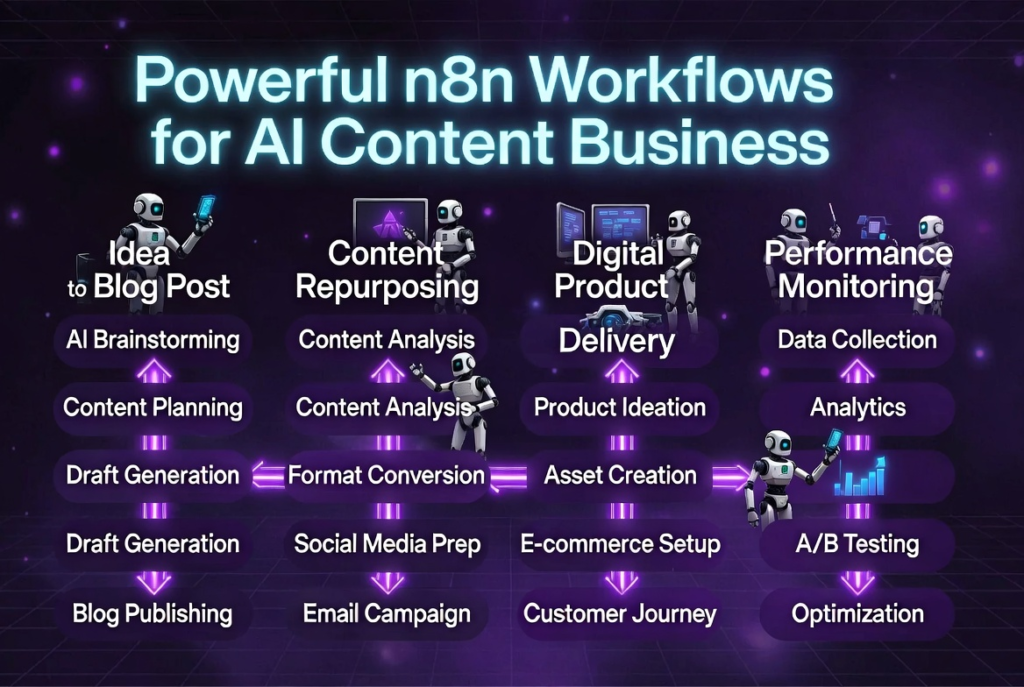
Here are the most valuable automations you should build first:
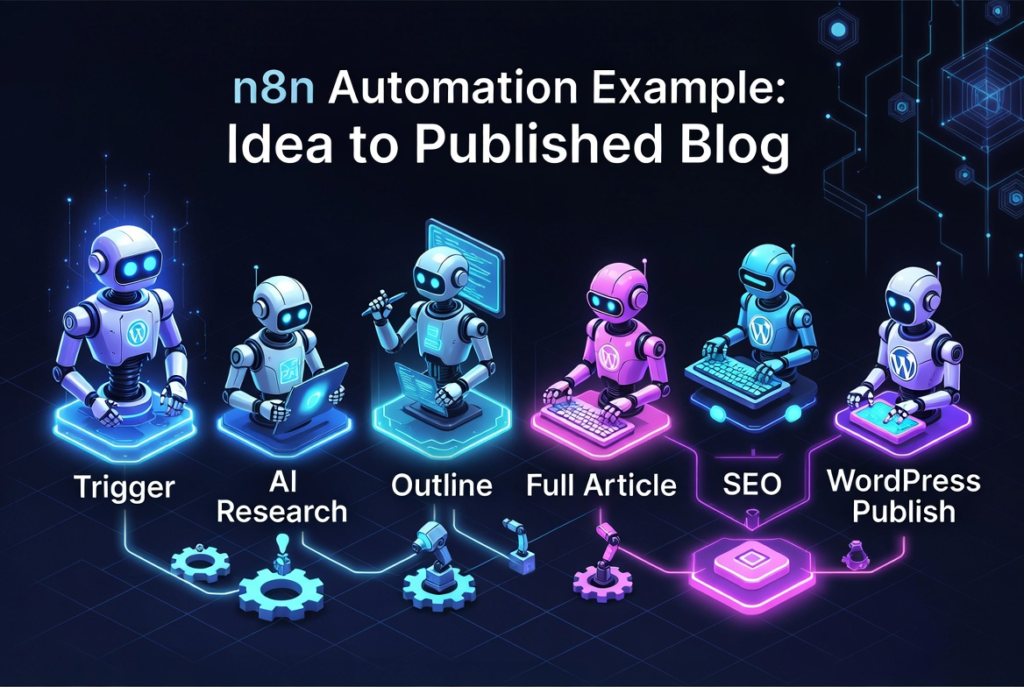
- Idea → Full Blog Post Workflow Trigger: New idea in Notion or Google Sheet Actions: Research with AI → Generate outline → Write full article → Optimize with SEO → Save to WordPress draft
- Content Repurposing Machine Trigger: New blog post published Actions: Generate YouTube script → Create voiceover → Generate video → Create thumbnail → Upload to YouTube + Shorts
- Digital Product Delivery System Trigger: New Gumroad sale Actions: Send welcome email → Deliver Notion template or prompt pack → Add buyer to email list → Trigger upsell sequence
- Performance Monitoring Dashboard Track views, sales, and engagement across all platforms and send weekly reports.
Step 2: Recommended n8n + AI Tool Stack
- n8n (self-hosted or cloud) — The automation brain
- Claude 4 or Grok — Main AI for high-quality content
- ChatGPT-4o — Fast tasks and variations
- Make.com (optional) — For more complex visual automations
- Google Sheets / Notion — Central database for ideas and tracking
- Gumroad / Stan Store — Digital product sales
- WordPress + YouTube — Main publishing platforms
Step 3: How to Build Your First n8n Automation (Step-by-Step)
- Install n8n (self-hosted recommended for full control)
- Create your first workflow: “New Idea → Blog Post Draft”
- Connect nodes:
- Trigger (Google Sheet or Notion)
- AI Node (Claude or OpenAI)
- Text processing nodes
- WordPress node (create draft)
- Test and activate the workflow
- Gradually add more complexity (SEO optimization, image generation, multi-platform publishing)
Once you have 3–4 core workflows running, your business starts operating like a well-oiled machine.
Step 4: Scaling with n8n
After your basic automations are working:
- Add error handling and notifications
- Create backup workflows
- Build client delivery automations
- Connect analytics to trigger actions (e.g., high-performing content → create video version automatically)
With n8n, you can eventually run an entire content empire with just a few hours of oversight per week.
Final Thoughts
n8n gives you the power to build sophisticated automations that most creators only dream of. When combined with AI content creation, it transforms your business from manual work into a scalable system.
Start with one simple workflow today. Once it’s running smoothly, add the next one. Over time, you’ll have a powerful automated AI content business.
Do you already use n8n? What part of your content business do you want to automate first? Tell me in the comments and I’ll give you the exact n8n workflow structure and prompts for that specific automation.
Ready to automate your AI content business with n8n? Comment “N8N” below and I’ll send you my free “n8n AI Content Automation Starter Pack” with ready workflows, node configurations, and prompts.
The machines are ready. Now build the system.
If you liked this article about n8n, you might also be interested in this one: https://useaipulse.com/2026/04/04/how-to-automate-your-entire-ai-business-with-n8n/