


I used to assume print-on-demand was a closed door unless you could actually draw. Every profitable shop I looked into seemed to be run by someone with a design background, a library of custom illustrations, and years of Photoshop experience I didn’t have. Then I watched a friend with zero design skills launch a shop entirely built on AI-generated artwork, and within a few months it was quietly outselling shops run by people who’d been designing for years.
That’s the shift worth understanding: AI image generation didn’t just make design faster. It removed the skill requirement almost entirely, which means the businesses that win now are the ones who understand what actually sells, not the ones who can draw the best.
What Is AI Print-on-Demand?
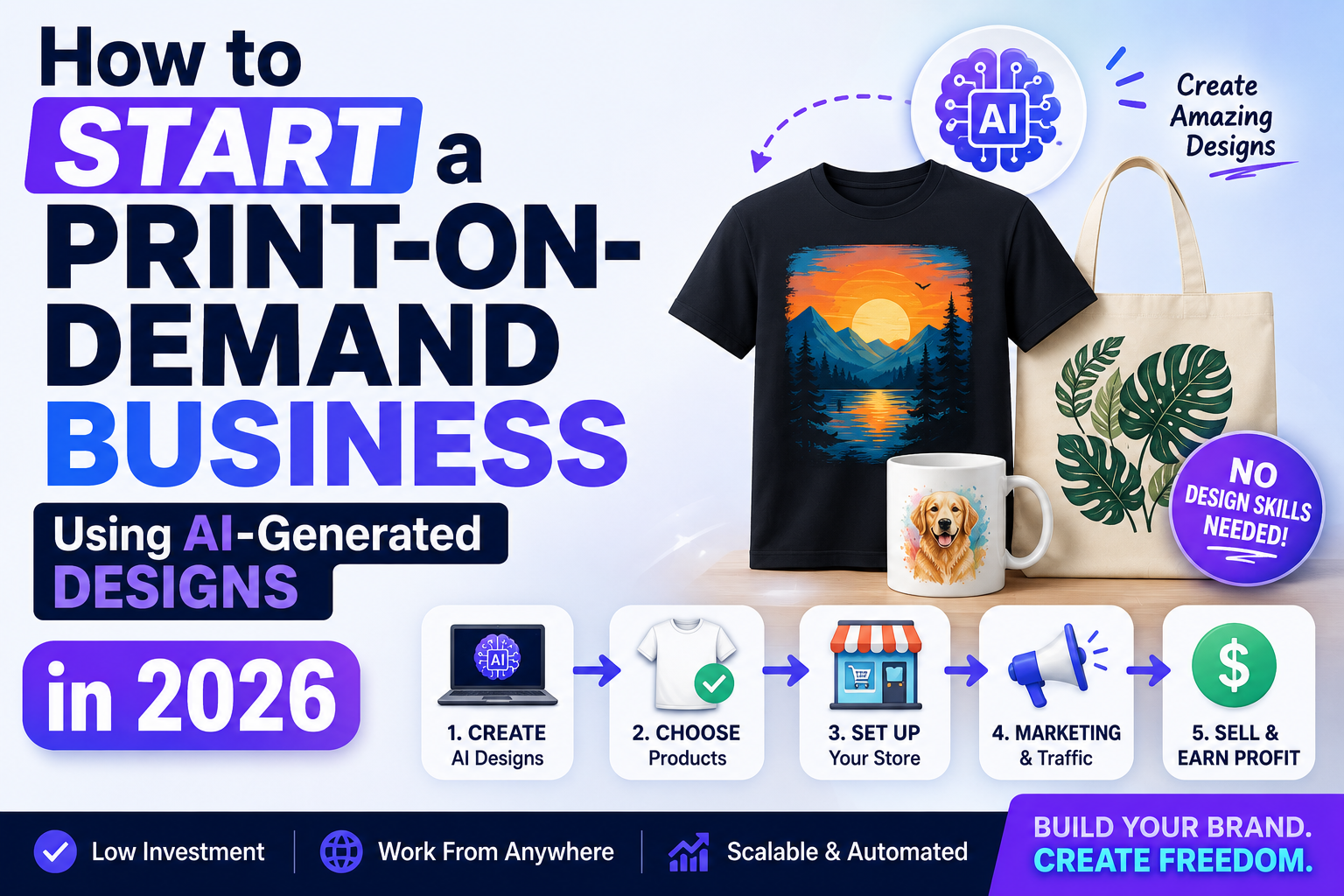
Print-on-demand is a business model where you sell custom-designed products — t-shirts, mugs, posters, phone cases, tote bags — without holding any inventory. A customer orders, a third-party printing partner produces and ships that single item, and you keep the difference between your listed price and the base production cost. AI print-on-demand simply replaces the design step: instead of hiring an illustrator or learning design software yourself, you generate the artwork using an AI image tool, then upload it to a print-on-demand platform connected to your online store.
What makes this meaningfully different from traditional print-on-demand isn’t the business model — it’s the barrier to entry. A single creator can now generate, test, and list dozens of design concepts in an afternoon, something that used to require either real design skill or a budget to hire someone who had it.
Why This Business Model Works Right Now
A few conditions have lined up to make this a genuinely strong time to start:
- Zero design skill required. Modern AI image generators can produce print-ready artwork from a text description alone, closing the gap between “having an idea” and “having a sellable design” to a matter of minutes.
- No inventory risk. You never buy stock upfront. A design that doesn’t sell costs you nothing beyond the time spent creating and listing it.
- Rapid testing at scale. Because generating a new design costs almost nothing, you can list ten variations of a concept and let actual sales data tell you which one resonates, instead of guessing.
- Established marketplaces with built-in traffic. Platforms like Etsy and Redbubble already have shoppers actively searching for exactly this kind of product, meaning you’re not starting from zero audience the way you would with a standalone store.
- Print-on-demand fulfillment is mature and reliable. The logistics — printing, shipping, customer service on production issues — are handled by established partners, leaving you to focus entirely on design and marketing.
How the Money Actually Works
Understanding the actual math up front will save you from unrealistic expectations later. On most print-on-demand platforms, you set a retail price on top of a fixed base production cost, and your profit is the difference. A t-shirt with an $13 base cost listed at $24 nets you roughly $11 per sale, before the platform’s own transaction and listing fees.
The real earnings driver isn’t the margin on a single sale — it’s how many designs you have live and how well each one is positioned to be found. A shop with 300 mediocre designs that nobody searches for will underperform a shop with 30 designs precisely targeted at specific, searchable niches. Most successful AI print-on-demand sellers describe their income as a long tail: a handful of designs account for the majority of sales, while dozens of others sell occasionally or not at all — which is exactly why volume and testing matter more than any single “perfect” design.
Some platforms, like Redbubble, also pay a royalty on a wider product catalog from a single uploaded design — the same artwork can appear on shirts, stickers, phone cases, and posters simultaneously, multiplying the earning potential of one good design without any extra work once it’s uploaded.
Best Platforms and Tools to Use
Here’s a realistic starting toolkit. Fees and terms shift periodically, so confirm current numbers directly on each platform before committing.
| Platform / Tool | What it’s for | Notes |
|---|---|---|
| Midjourney or DALL·E | Generating design artwork from text prompts | Strong at illustrative and stylized art; check the platform’s commercial usage terms for the plan you’re on |
| Adobe Firefly | Generating and lightly editing artwork | Trained specifically to be safer for commercial use, which matters for a business built on selling the output |
| Printful or Printify | Print-on-demand fulfillment connected to your own store | Best if you want a dedicated shop (via Shopify or Etsy) rather than relying solely on marketplace traffic |
| Redbubble | Marketplace with built-in traffic and a wide product catalog | Lower per-sale margin, but no separate store setup and strong organic search traffic |
| Etsy | Marketplace with high buyer intent | Requires more active listing optimization, but converts well for niche, specific designs |
| Canva | Light editing, mockups, and text placement on designs | Useful for cleaning up AI output and creating product mockups for your listings |
Most sellers end up combining a generation tool with an editing tool and one or two sales platforms, rather than relying on a single piece of software to handle the entire process.
How to Start (Step-by-Step)
- Pick a niche, not just a product type. “T-shirts” is not a niche. “Sarcastic gardening quotes for retired teachers” is. A specific niche is easier to design for, easier to market, and far easier for the right buyer to find in search.
- Check each platform’s AI content and commercial-use policy before generating anything. Some AI tools restrict commercial resale on lower-tier plans, and some print-on-demand platforms have their own disclosure rules for AI-generated art. Confirm both before you build a catalog around a workflow you might have to redo later.
- Generate multiple variations of each concept. Don’t settle for the first output. Generate five to ten variations of a design idea and pick the strongest, or combine elements from a few, since the difference between a mediocre and a genuinely sellable design is often just a few regenerations away.
- Clean up the artwork before uploading. Raw AI output frequently needs cropping, background removal, or minor color correction to look right on a physical product. A few minutes in Canva or a similar tool is usually the difference between a design that looks professional and one that looks obviously unfinished.
- Write listing titles and tags around actual search terms, not just descriptions. Buyers find products through search, not browsing, so your listing title and tags need to match what someone would actually type in — the specific occasion, recipient, or interest the design speaks to — not just a literal description of the artwork itself.
- Price with your platform’s fee structure in mind. Calculate your actual margin after base cost and platform fees before setting a price, rather than guessing a round number that might barely clear a profit.
- Launch in batches, then double down on what sells. List a batch of designs within one niche, watch which ones get traction over the first few weeks, and create more variations of the winners rather than spreading your energy evenly across everything.
- Track performance and prune what’s not working. A design that’s had zero sales after a reasonable window isn’t hurting you much on most platforms, but reviewing your catalog periodically to double down on proven concepts and retire dead weight keeps your shop focused and easier to manage as it grows.
Design Strategies That Actually Sell
Not every eye-catching AI image translates into a sellable product, and a few patterns separate the designs that convert from the ones that don’t.
Text often outsells pure illustration. A sharp, funny, or relatable line of text paired with simple supporting artwork frequently outperforms a beautifully detailed illustration with no text at all, because it’s the words that make a buyer feel like the product is “for them.”
Niche specificity beats broad appeal. A design aimed at “dog lovers” competes with thousands of similar listings. A design aimed at “owners of dachshunds specifically” competes with far fewer, and converts better with the exact audience searching for it.
Seasonal and occasion-based designs have predictable demand spikes. Holidays, graduation season, and recurring cultural moments create windows where search volume for occasion-specific products rises sharply — planning designs a few weeks ahead of these windows consistently outperforms reacting after the fact.
Consistent style across a shop builds recognition. Buyers who like one design from your shop are meaningfully more likely to browse the rest of your catalog if it shares a recognizable visual style, rather than looking like it was generated by ten different unrelated processes.
Common Mistakes to Avoid
Ignoring commercial usage rights. Not every AI-generated image is automatically clear for commercial resale under every tool’s terms. Confirm the specific license attached to your plan before building a business around it — this is the single most overlooked legal risk in this entire niche.
Flooding a shop with low-effort, unedited designs. A shop full of raw, uncleaned AI output looks obviously low-effort to buyers and tends to convert poorly compared to a smaller catalog of genuinely polished listings.
Chasing trends without a niche focus. Jumping on every viral design trend without a consistent shop identity makes it harder for buyers to know what your shop is “for,” which hurts repeat visits and word-of-mouth traffic.
Underpricing out of fear of not selling. New sellers often price too low, assuming a lower price is the only way to compete. In practice, a well-targeted niche design sells based on relevance to the buyer, not on being the cheapest option in the category.
Giving up before the testing phase finishes. Most successful shops didn’t succeed with their first batch of designs. They succeeded because they kept testing new concepts and doubling down on what the data showed was working, rather than judging the entire business model on the first few weeks.
Frequently Asked Questions
How much money can you realistically make with AI print-on-demand? It varies enormously based on niche selection, catalog size, and listing optimization. Many sellers earn a modest side income of a few hundred dollars a month in their first year, while established sellers with large, well-tested catalogs and strong SEO can earn several thousand dollars a month. Because there’s no inventory cost, even modest monthly sales tend to represent genuine profit rather than revenue eaten up by overhead.
Do I need to disclose that a design was made with AI? Policies vary by platform and are worth checking directly, since some marketplaces have specific disclosure requirements for AI-generated content while others don’t. Beyond any platform requirement, being upfront about your process is generally good practice for building trust with buyers.
Is it legal to sell AI-generated designs? Generally yes, but the specifics depend on the AI tool’s commercial usage terms and the print-on-demand platform’s own policies, both of which you should confirm before building a business around a particular workflow. Avoid generating designs that closely mimic a specific artist’s recognizable style or reference copyrighted characters, logos, or trademarks, since these carry real legal risk regardless of how the image was produced.
Which platform is better for beginners: Etsy or Redbubble? Redbubble has a lower barrier to entry since it requires no separate store setup and comes with built-in marketplace traffic, making it a reasonable place to start testing designs. Etsy generally rewards more active listing optimization and can offer higher margins once you understand how to work with its search algorithm, making it a strong second step once you have designs that are already proven to sell.
How many designs do I need before I see real sales? There’s no fixed number, but most sellers describe meaningful traction starting somewhere in the range of 50 to 100 well-targeted, niche-specific listings, since a larger catalog gives search algorithms more opportunities to surface your designs to the right buyers. Quality and niche relevance matter more than hitting any specific count.
Can I do this without any budget at all? Largely yes. Most AI image tools and print-on-demand platforms offer free or low-cost entry tiers sufficient for testing a shop, and there’s no inventory to purchase upfront. Your primary investment is time spent generating, refining, and listing designs rather than upfront capital.
Final Thoughts
AI print-on-demand rewards the sellers who treat it like an actual business — picking a real niche, testing consistently, and paying attention to what the data says works — rather than the ones who generate a handful of designs and expect instant results. The tools have removed the design skill barrier almost entirely, which means the sellers who succeed now are the ones who understand their buyer, not the ones with the best Photoshop skills.
Start with one specific niche, generate and refine a small batch of genuinely polished designs, and list them where your buyer is already searching. Everything after that — the second batch, the pricing adjustments, the catalog expansion — gets easier once you have real sales data telling you exactly what to make more of.