I used to open my inbox first thing every morning and immediately feel behind, before I’d done a single thing that day. Not because the emails were hard. Most of them weren’t. It was the sheer number of decisions stacked on top of each other before 9 a.m.: which ones actually mattered, which ones could wait, which one buried on page two was a warm lead I hadn’t replied to in four days because it got pushed down by three newsletter digests and a calendar invite.
- Why Your Inbox Is the Real Bottleneck
- What “AI Inbox Automation” Actually Means
- The Full System: From Inbox Chaos to Inbox Zero
- Stage 1: Build a Triage Layer Before You Build Anything Else
- Stage 2: Let AI Draft Replies in Your Voice, Not Its Own
- Stage 3: Route Leads and Client Emails to the Front of the Line
- Stage 4: Extract Action Items So Nothing Lives Only in Your Inbox
- Stage 5: Build a Daily Briefing Instead of Reading Everything
- Stage 6: Review and Retrain the System Monthly
- The Best Tools for Each Stage
- A Real Workflow, Start to Finish
- Prompts You Can Steal
- Mistakes That Undo All of This
- Frequently Asked Questions
- Your Move
- Sources
That’s the part nobody warns you about with a growing inbox. It’s not the volume that wears you down. It’s the constant, low-grade triage decision you have to make on every single message, over and over, all day, with zero of it actually being the work you’re supposed to be doing.
This guide is the system I eventually built to fix that — not a way to let AI answer your emails for you unsupervised, but a way to remove almost every step between “email arrives” and “the right thing happens,” so the only decisions left for you are the ones that actually need a human.
Why Your Inbox Is the Real Bottleneck
Email doesn’t feel like a big problem in the moment. It feels like a hundred tiny, forgettable ones. That’s exactly why it’s so hard to fix without stepping back and looking at the actual numbers.
The average professional now receives somewhere around 120 business emails a day, and knowledge workers collectively spend close to 28% of the entire workweek managing email, according to McKinsey Global Institute’s long-running benchmark on interaction work. Put in plain terms, that’s over a full day of every five-day week spent inside your inbox — reading, sorting, deciding, replying, and re-reading things you already decided on once. Most of that volume isn’t even useful: multiple 2026 industry reports converge on the same uncomfortable figure, that somewhere between 76% and 88% of the email landing in a typical inbox requires no real action from the person receiving it.
That’s the trap. You’re not drowning in important decisions. You’re drowning in the process of finding the handful of messages that are actually important, buried inside a much larger pile that mostly isn’t. AI email management has become one of the fastest-growing corners of workplace software specifically because of this gap — market researchers now size the AI email tooling space in the billions of dollars, growing fast, precisely because the problem isn’t going away on its own. Filters and folders reduce clutter by maybe 15–20%, which helps, but they can’t tell you which unread message is a client about to walk and which one is a shipping confirmation. Only something that actually reads and understands the content can do that.
None of this means you need to hand your inbox over to a robot and hope for the best. It means the parts of email that are pure sorting, drafting, and remembering can be automated almost entirely, so what’s left for you is the small number of messages that genuinely need your judgment.
What “AI Inbox Automation” Actually Means
It helps to separate two things people often lump together into one vague idea.
Inbox automation is the plumbing — rules, filters, folders, and forwarding that have existed in email clients for two decades. Gmail and Outlook have always been able to move a message from A to B based on a sender or a keyword.
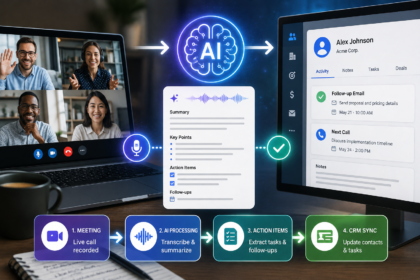
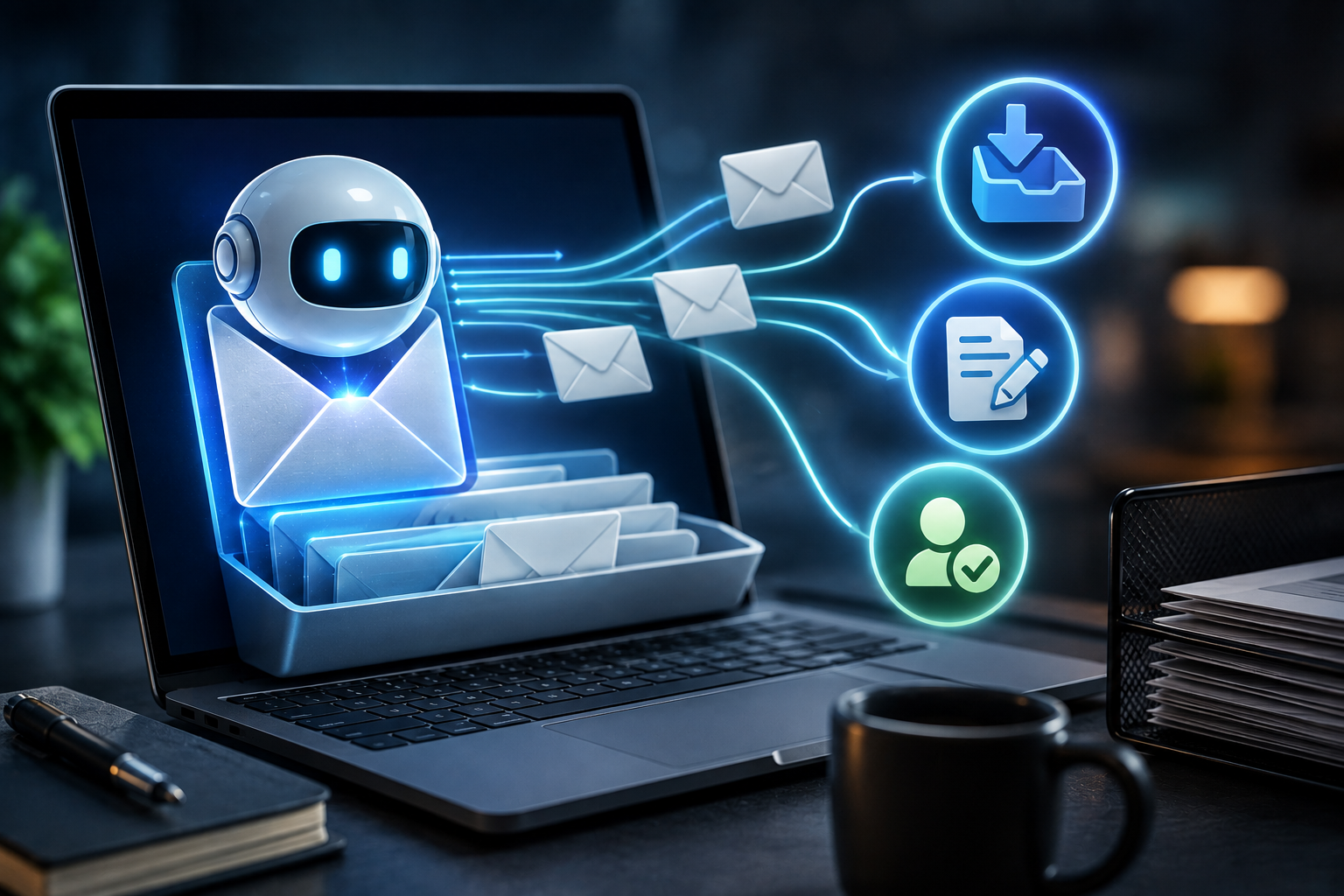
AI is what turns that plumbing into something that actually understands what’s inside the pipe. Instead of sorting by keyword, AI can read a message, understand that it’s a hesitant “maybe” from a prospective client rather than a generic inquiry, flag it as urgent, draft a reply in your tone, and pull the one action item buried in paragraph three into a task list — all before you’ve opened the message yourself.
Put together, you get an inbox that quietly organizes itself, drafts the boring replies so you’re editing instead of writing from zero, surfaces the two or three emails a day that genuinely need your judgment, and never lets a real lead sit unanswered because it got buried under forty newsletters. The goal isn’t a mailbox nobody’s watching. It’s removing every step in the process that has nothing to do with the actual decision, so the decision itself gets your full attention.
The Full System: From Inbox Chaos to Inbox Zero
This is the six-stage system I run today. You don’t need to build all six in one sitting — start with whichever stage is currently costing you the most missed replies or the most wasted mornings.
Stage 1: Build a Triage Layer Before You Build Anything Else
Before AI touches a single reply, it needs a way to sort incoming mail into a small number of clear buckets: urgent and needs a human, routine and safe to auto-reply, informational and safe to skip, and spam or noise. Most modern email platforms and AI email assistants can classify incoming messages against categories like these automatically, using the content of the message rather than just the sender.
This single step is the one people skip because it feels like setup work instead of “real” automation. It isn’t optional. Every stage after this one depends on messages already being correctly bucketed — without it, you’re just adding AI on top of the same undifferentiated pile.
Stage 2: Let AI Draft Replies in Your Voice, Not Its Own
For anything landing in the “routine” bucket — scheduling questions, repeated client questions, simple confirmations — feed the AI a handful of real examples of how you’ve replied to similar messages before, and let it produce a draft reply sitting in your outbox, unsent, waiting for a quick glance. This is the same principle that makes AI-assisted writing feel human instead of robotic anywhere else: specific examples of your actual voice beat a generic instruction every time.
You are not sending these unedited. You’re turning a five-minute “compose from scratch” task into a fifteen-second “read and approve” task, which is a completely different amount of daily friction even though the output looks similar.
Stage 3: Route Leads and Client Emails to the Front of the Line
This is the stage that actually protects revenue. Set up a rule — inside your email platform, or through an automation tool if your platform doesn’t support it natively — that flags any message matching lead-shaped language (a new inquiry, a reply to a proposal, a question about pricing) and pushes it to the very top of your day, with a notification that bypasses your usual “check email twice a day” discipline.
If you’re already routing other business processes through an automation tool, this is a natural place to plug in rather than build in isolation. Our guide to using Zapier with AI walks through connecting a trigger like an incoming lead email to the rest of your stack — CRM updates, Slack pings, calendar holds — instead of treating your inbox as a system nobody else in your workflow can see.
Stage 4: Extract Action Items So Nothing Lives Only in Your Inbox
Emails are a terrible place to store to-do lists, and yet that’s exactly where most people keep them — scrolling back through a thread three days later trying to remember what they agreed to. Instead, have AI scan approved or read emails for anything that reads like a commitment or a deadline, and push it directly into your task manager with the original message linked, rather than leaving it to live and die inside your inbox.
This is a small habit with an outsized effect. The moment a commitment exists somewhere other than your inbox, “I’ll get to it” stops meaning “I’ll probably forget it.”
Stage 5: Build a Daily Briefing Instead of Reading Everything
Rather than opening your inbox and reading top to bottom, have your AI assistant generate a short daily summary each morning: what’s urgent and needs a reply today, what got auto-handled overnight, and what’s simply informational and can be skimmed or skipped. Several AI email tools now build this “briefing instead of inbox” model as their default view, and it reflects a real shift in how AI-assisted email is heading — from helping you process your inbox faster to letting you mostly not read it at all.
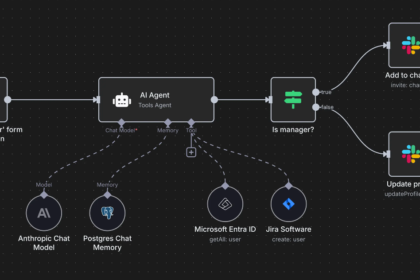
If your business already runs other repetitive tasks through a no-code automation hub, our guide to using n8n to automate a content business for free covers building a similar digest-and-summary pattern that pairs naturally with this stage, using the same trigger-and-action logic on a different part of your workflow.
Stage 6: Review and Retrain the System Monthly
Once a month, look back at what got auto-replied, what got flagged as urgent versus what actually was, and what the system missed entirely. Feed a handful of examples where the categorization was wrong back into your prompt or rule set, and adjust. This is the step that keeps the system accurate as your business changes instead of slowly drifting out of sync with what actually matters to you now.
Skipping this stage is how well-built systems quietly become useless six months later — not because the tools stopped working, but because nobody updated them as the business did.
The Best Tools for Each Stage
You don’t need a dozen subscriptions to run this. Most solo operators and small teams can run the entire system on one email platform’s built-in AI features, a general AI assistant, and one automation hub if the platform can’t handle routing on its own.
| Tool | Best for | Free tier | Where it shines |
|---|---|---|---|
| Gmail (Gemini features) / Outlook (Copilot) | Native AI triage and drafting | Yes (limited) | Built directly into the inbox you already use, no separate app |
| Superhuman or SaneBox | Priority inbox and cleanup | No / Yes (trial) | Fast triage and clutter reduction for high-volume inboxes |
| A general AI assistant (Claude, ChatGPT, etc.) | The “thinking” layer for drafting and summaries | Yes | Voice-matched replies, daily briefings, action-item extraction |
| n8n or Zapier | Routing leads and connecting your inbox to the rest of your stack | Yes (n8n) | Turning a flagged email into a CRM update, Slack ping, or task automatically |
| Your CRM or task manager | Where commitments actually live | Varies | Keeping action items out of your inbox permanently |
A Real Workflow, Start to Finish
Here’s what an actual day looks like once this system is running:
- Overnight: Incoming email gets auto-sorted into urgent, routine, informational, and noise as it arrives, with routine messages already drafted and waiting for approval.
- 7:30 a.m.: My daily briefing lands — three lines on what’s urgent, a short list of what got auto-handled, and a note on anything flagged as a possible lead.
- 8:00 a.m., 10 minutes: I glance at the drafted replies from overnight, edit two of them, approve the rest as-is, and send.
- Throughout the day: Anything that matches lead-shaped language interrupts me immediately, wherever I am, instead of waiting for my next scheduled inbox check.
- End of day: Any commitment buried in an email thread has already been pushed to my task manager, so closing my inbox doesn’t mean losing track of what I agreed to.
- End of month: I review what got miscategorized over the past four weeks and adjust the rules and prompts accordingly.
Total hands-on inbox time per day: roughly 20–30 minutes, almost all of it spent on the handful of messages that actually needed a human brain.
Prompts You Can Steal
For drafting routine replies (Stage 2):
“Here are three examples of how I’ve replied to similar emails before: [paste 2–3 short examples]. Match that tone and length. Using this incoming email: [paste], draft a reply in my voice. Keep it concise, don’t add generic pleasantries I wouldn’t normally use, and flag anything you’re unsure how to answer with a [CHECK] tag instead of guessing.”
For lead detection (Stage 3):
“Read this email: [paste]. Based on the content, classify it as one of: new lead, existing client, routine admin, or noise. If it’s a new lead or existing client with an open question, summarize in one sentence what they need and flag it as urgent.”
For the daily briefing (Stage 5):
“Here are today’s incoming email subject lines and first two sentences: [paste]. Summarize into three sections: needs my reply today, auto-handled overnight, and safe to skip. Keep the whole summary under 150 words.”
Mistakes That Undo All of This
Letting AI send replies without a review step. Even a well-trained draft occasionally misreads tone or context. Keep a human glance in the loop for anything leaving your outbox, especially with clients or leads.
Skipping Stage 1 and jumping straight to drafting. Without a clean triage layer first, you end up with AI drafting replies to messages that never needed one, which adds noise instead of removing it.
Feeding it vague voice examples. A prompt without real, specific examples of how you actually write produces generic AI tone every time, and generic tone is instantly recognizable to anyone who knows you.
Treating action items as optional. If commitments stay buried in email threads instead of moving to a task manager, you’ve automated the sorting but not the actual follow-through, which is usually the part that matters most.
Never retraining the system. Rules and prompts that were accurate on day one quietly become wrong as your business, clients, and priorities shift. A system left completely alone for six months is a system slowly drifting back toward chaos.
Frequently Asked Questions
Will this mean I stop reading my own email? No, and it shouldn’t. The goal is to stop reading the 80% that never needed your attention in the first place, so the handful of messages that do get a real, unhurried read instead of a rushed glance between meetings.
Is it safe to let AI read client emails? For drafting and summarizing, most reputable AI email tools process content securely and don’t use it for training by default, but it’s worth checking the specific privacy policy of whichever tool handles sensitive client or financial information, and keeping anything highly confidential inside your platform’s own native AI features when possible.
How long does this take to set up? The core loop — triage categories plus a voice-matched drafting prompt — can be running within an afternoon. Lead routing and the daily briefing usually take a focused week to fully wire up if you’re building around an existing, busy inbox rather than starting fresh.
What if my business is too small for this to be worth it? If anything, a smaller operation benefits more, since a single missed lead email has a proportionally bigger impact when you don’t have a large sales team to catch what falls through the cracks.
Won’t this make my replies sound robotic? Only if you skip the voice-matching step or send drafts unedited. Feed the system real examples of how you actually write, and always give replies a quick human glance before they go out, the same rule that applies to any AI-assisted writing.
Your Move
I still remember exactly what it felt like to open my inbox and feel behind before I’d done anything. Not because the work itself was hard, but because every single message demanded the same tiny decision — read it now, later, or never — hundreds of times a day, with none of it moving my actual business forward.
You don’t need all six stages running this week. Start with Stage 1: a simple triage layer that separates urgent from routine from noise. That one change alone is usually the difference between an inbox that runs you and one you finally run.
The inbox isn’t going anywhere. Email volume keeps climbing every year, not shrinking. But how much of your actual day it’s allowed to eat is still very much a choice — and it’s exactly the kind of repetitive, rules-based decision-making that AI automation is built to take off your plate.
Sources
- McKinsey Global Institute, The Social Economy: Unlocking Value and Productivity Through Social Technologies
- Radicati Group, Email Statistics Report (2025–2026 series, via Statista)
- Grand View Research, AI Email Management Market Size & Growth Report
- Readless, Email Overload Statistics 2026
This article is part of UseAIPulse’s AI Automation coverage, alongside our guides on using Zapier + AI to save 20 hours a week and automating a content business with n8n for free.