






I run most of my business before my second cup of coffee — and I’m not exaggerating. A few years ago that line would have sounded like a productivity flex. In 2026, it’s simply what happens when you let the right systems do the repetitive work for you.
The truth is that being a solopreneur has never meant doing everything yourself. It means deciding what only you can do, then handing the rest to software that doesn’t sleep, complain, or forget. That’s exactly where AI automation workflows come in.
In this guide, I’ll walk you through the five workflows I’d set up first if I were starting from scratch today — what each one does, why it matters, and how to build your first one in a single afternoon.
What an AI Automation Workflow Actually Is
Before we get into the list, let’s clear up the jargon, because “AI automation workflow” sounds more intimidating than it really is.
A workflow is just a chain of steps that happen in order. Automation means those steps run on their own once you set them up. Add AI to the mix and the workflow can now think a little — writing, summarizing, sorting, or replying instead of only moving data from one box to another.
So an AI automation workflow for a solopreneur is a small, repeatable system where a trigger (like a new email or a form submission) kicks off a series of automatic actions, with AI handling the parts that used to need a human brain.
Here’s the part most people miss: you don’t need to automate your whole business. You just need to automate the handful of tasks that quietly eat your week.
Why Solopreneurs Need This More Than Anyone
Big companies have departments. You have a to-do list and a finite number of hours. That imbalance is the real reason automation matters more for a one-person business than for a 200-person one.
When I tracked my own time for a week, the result was humbling. Roughly 40% of it went to tasks that didn’t require my judgment at all — moving files, copying client details, formatting posts, sending the same follow-up email for the tenth time.
Those tasks weren’t hard. They were just constant. And constant low-value work is what burns out solopreneurs long before any single big project does.
The goal of AI automation isn’t to replace you. It’s to protect the hours that only you can spend well — on strategy, relationships, and the creative work that actually grows your income.
The Top 5 AI Automation Workflows for Solopreneurs in 2026
I’ve ranked these by impact-to-effort. The first ones give you the most relief for the least setup, which matters when you’re building all of this in the cracks of a busy week.
1. Content Creation and Repurposing
If you create anything — newsletters, videos, posts, podcasts — this is the workflow I’d build first. Content is the engine of most solo businesses, and it’s also the most time-hungry.
A simple version looks like this. You record or write one core piece. AI then turns it into a short summary, three social posts, an email snippet, and a set of captions. Instead of creating five things, you create one and let automation multiply it.
What makes this powerful in 2026 is that AI no longer just spits out generic text. It can match your tone if you feed it samples, so the repurposed content actually sounds like you rather than a robot wearing your name tag.
A few quick wins to automate here:
- Turning a long blog post into a tweet thread and a LinkedIn post
- Generating first-draft email newsletters from your latest content
- Creating video titles, descriptions, and timestamps automatically
- Drafting captions and alt text for every image you publish
I still edit everything by hand before it goes live — that human pass is non-negotiable for quality. But starting from an 80%-finished draft instead of a blank page easily saves me five to eight hours a week. If you want to go deeper on the tools that power this.
2. Lead Capture and Email Follow-Up
The fastest way to lose a sale is to reply slowly. The second fastest is to forget to reply at all. An automated lead workflow fixes both problems while you sleep.
Here’s the chain. Someone fills out your contact form or signs up for your freebie. That instantly adds them to your email list, tags them based on what they were interested in, and triggers a personalized welcome sequence — with AI adjusting the message to match the page they came from.
The magic is in the personalization. Instead of one generic “Thanks for signing up,” your new lead gets a message that references exactly what they wanted, which makes the whole thing feel handwritten even though it isn’t.
This single workflow turned cold sign-ups into actual conversations for me, simply because nobody fell through the cracks anymore. For a solopreneur, that consistency is worth more than any clever sales script.
3. Customer Support and FAQ Triage
You can’t answer questions at 2 a.m., but your customers don’t care about your schedule. An AI support workflow keeps things moving without chaining you to your inbox.
The setup is straightforward. Incoming questions get scanned by AI, sorted by topic and urgency, and either answered automatically (for common, low-risk questions) or flagged for you (for anything sensitive or unusual).
I’d strongly recommend keeping a human in the loop for refunds, complaints, and anything emotional. Let AI handle the “what are your hours” and “how do I reset my password” type messages, and save your attention for the conversations that genuinely need it.
Done right, this workflow shrinks your support load dramatically while improving response times. Customers feel heard faster, and you stop dreading your inbox.
4. Social Media Scheduling and Engagement
Posting consistently is simple in theory and brutal in practice. Life happens, the calendar slips, and suddenly your account has been quiet for three weeks. Automation removes the willpower from the equation.
A solid workflow lets you batch a month of content in one sitting, then schedule it to publish automatically across platforms. AI can suggest the best posting times, draft variations for each network, and even repurpose your top-performing posts into fresh ones later.
You can also automate the listening side. Set up alerts for brand mentions or specific keywords so you can jump into relevant conversations without scrolling endlessly all day.
The mindset shift here is treating social media like a system, not a daily chore. Build it once, feed it weekly, and let it run.
5. Admin, Invoicing, and Bookkeeping
This is the least glamorous workflow and quite possibly the most valuable. Admin is the silent tax on every solo business, and AI is genuinely good at it.
Picture this. A project wraps, which automatically generates an invoice, sends it to the client, logs the income in your bookkeeping tool, and reminds you to follow up if it isn’t paid in seven days. You did nothing but finish the work.
AI can also read receipts, categorize expenses, and prep tidy summaries for tax season — turning a dreaded weekend of spreadsheets into a five-minute review. The accuracy isn’t perfect, so you still check the numbers, but the grunt work disappears.
For most solopreneurs, getting paid faster and stressing less about finances is the difference between a business that feels sustainable and one that quietly drains you.
How to Build Your First AI Automation Workflow (Step by Step)
You don’t need to build all five at once. In fact, please don’t — that’s how people overwhelm themselves and quit. Start with one. Here’s the exact process I use.
Step 1: Pick one painful, repetitive task. Choose something you do at least a few times a week that bores you. Following up with leads is a great first candidate because the payoff is obvious.
Step 2: Map it on paper first. Write down the trigger (“a new lead signs up”) and every step that follows. If you can’t explain it in plain language, you’re not ready to automate it yet.
Step 3: Choose your automation hub. Most solopreneurs use a no-code platform that connects their apps together. You don’t write code — you connect blocks. For background on how these connectors work.
Step 4: Add the AI layer. Plug in an AI step where judgment or writing is needed — drafting the email, summarizing the message, or sorting the request by topic.
Step 5: Test with real (but safe) data. Run it with a fake lead or a sample email first. Watch what it does at each step before trusting it with live customers.
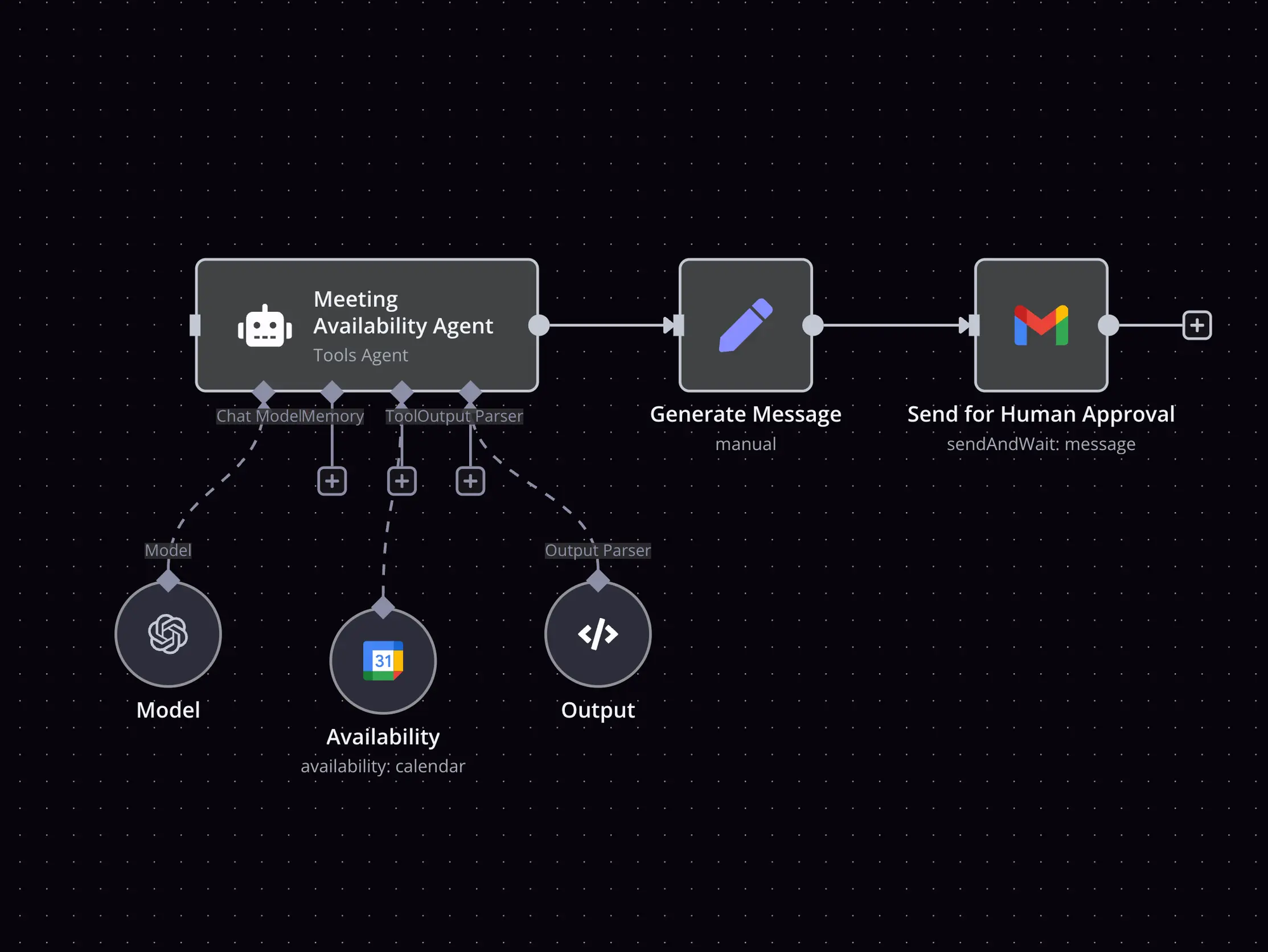
Step 6: Add a human checkpoint. For anything that touches money, clients, or your reputation, route the final step to you for approval. Automation should assist your judgment, not replace it.
Step 7: Document and expand. Write a two-line note on what the workflow does and how to fix it. Once it runs smoothly for a week, build the next one.
That’s it. Your first workflow can genuinely be live by dinner.
Common Mistakes to Avoid
I made most of these so you don’t have to. They’re the difference between automation that frees you and automation that creates new headaches.
- Automating a broken process. If your task is messy by hand, automating it just makes the mess faster. Fix the steps first.
- Removing yourself entirely. Going fully hands-off too soon is risky. Keep human review on anything high-stakes until you trust the system.
- Building ten workflows at once. Complexity compounds. One reliable workflow beats five fragile ones.
- Never auditing what you built. Tools change and connections break. Spend ten minutes a month checking that everything still runs.
- Chasing tools instead of outcomes. The shiniest app won’t help if it solves a problem you don’t have. Start from the task, not the software.
Frequently Asked Questions
What exactly is an AI automation workflow for a solopreneur?
It’s a small, repeatable system where one trigger — like a new email, form, or sale — sets off a chain of automatic actions, with AI handling the steps that need writing, sorting, or summarizing. For a solopreneur, it replaces hours of manual busywork without hiring anyone.
Do I need to know how to code to set these up?
No. The most popular automation platforms in 2026 are no-code, meaning you connect apps visually instead of writing scripts. If you can fill out a form and drag a box, you can build a basic workflow. The learning curve is closer to learning a new app than learning programming.
How much do AI automation tools cost?
It varies widely by tool and usage, and pricing changes often, so always check current plans before committing. Many platforms offer free tiers that are enough to build your first workflow, with paid plans that scale as your volume grows. Start free, prove the value, then upgrade only when a workflow is clearly saving you time or earning you money.
Are AI automation workflows safe for client data?
They can be, but you’re responsible for using them carefully. Stick to reputable tools, read their data policies, avoid feeding sensitive personal or financial details into AI steps unnecessarily, and keep human review on anything confidential. Treat client data with the same caution you would offline.
How many workflows should I start with?
One. Build a single workflow, run it for a week, and make sure it’s reliable before adding another. Solopreneurs who try to automate everything at once usually end up with a tangle they can’t maintain. Slow and steady wins here.
Will AI automation replace the need for my skills?
It replaces tasks, not judgment. AI is excellent at the repetitive middle of your work, but it can’t set your strategy, build genuine relationships, or make the creative calls that make your business yours. The solopreneurs who thrive use automation to spend more time on exactly those things.
Your Next Move
Here’s the takeaway I want you to leave with: you don’t grow a solo business by working more hours — you grow it by removing the hours that don’t matter. AI automation workflows are simply the most reliable way to do that in 2026.
So don’t try to build all five today. Pick the one task that drains you most this week, map it on paper, and get a single workflow running by tonight. That first small win changes how you see your entire business — and once you feel those hours come back, you’ll never want to hand them over to busywork again.
Start with one. Everything else follows from there.